Taking a moment to escape from the hurly burly that is the build up to Christmas - and with Fabulous Photo Gifts busier than ever, it occurred to me that SEO social networking is a bit like living in a small close (as we do).
In real life, you may go days without seeing your neigbours - it's dark when you leave for work in the morning, it's dark by the time you get home and with so much to do, a whole week can go by without you even catching site of your neighbours.
Of course we all have our favourite neighbours - those we're particularly on good terms with - "will you look after our goldfish while we're away" type of thing. Even they may not see us very often, but when they do, all past non-contact is forgotton and conversations take up where they left off, even if that football match was 3 weeks ago.
It's very much the same with Blogs and MySpace profiles. You have your favourites, visitors that are closer to you than others, but you don't always have time to 'see them' and days can become weeks.
This isn't necessarily a bad thing - It can get boring talking about the same things day after day - a little absence makes the heart grow fonder you know.
Far better to have a break and come back with some really stunning content that will gain a better following and hopefully lead to more traffic to your site.
Of course, if you've got the time then try cultivating new contacts rather than repeatedly 'hitting' your usual ones. You'll find your content gets read by more people and is generally perceived as more quality than quantity.
Oh and in case I don't manage to find a dark corner before - a very Merry Christmas to one and all.
Jonathan
http://www.fabulousphotogifts.co.uk
A little flavour of what's in store...
Gifts & Giveaways
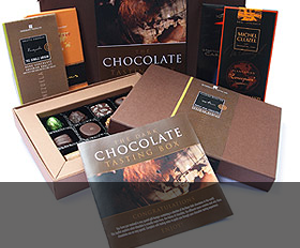
Fine chocolate offers and vouchers....latest offer

Blogging tutorials
Easy tips to make your blog, twitter or tumblr accounts look good....see example

Social networking tips
Published articles by me on networking and social tools....see example

Art & Photography
Licenced images by Mandy Collins....read more
Wednesday, November 29, 2006


Monday, November 20, 2006
How having a .com address in the UK is bad not a good idea!
Article – How having a .com address in the UK is not a good idea!
I recently read a very interesting article which suggested that UK only searches on Google excluded UK businesses with a .com address. The writer went onto suggest that UK businesses with a .com URL registered the .co.uk equivalent as soon as possible to avoid being omitted from UK searches in the future.
At the time I didn’t give the report much credit. You may have a .com URL, but surely, your UK address in your keywords and the text on your site would confirm you were a UK company and as such deserved to be included in search results.
In the past, I’ve always used UK only searches to exclude foreign companies of any URL extension. I know we live in a global community but if I’m ordering a CD, I’d rather order it from a UK company (or Jersey at least).
So I didn’t give it much thought until now. Let’s back track a few weeks when I was approached at work by a double glazing company whose site we had designed and hosted. He wanted to be more visible on the front page of Google when people searched for double glazing in his town and surrounding areas.
With however many hundreds of thousands cajoling for the first pages I said it was unlikely unless he went Pay Per Click, however, I was embracing Google Site Maps and I was sure if we re-wrote his front page, his metatags and created a Google Site Map, we could improve his position.
So I began. Firstly, I removed all the old Titles and Metatags and completely re-wrote them specifically with those keywords and locations we’d discussed. I amended the body text to reflect these changes and re-worked his Site Map so that page descriptions were more in line with the keywords he was targeting.
Gone were the nice “Welcome to ..... Windows, a family business” as site titles and in their place... “Double Glazing in Berkshire” etc.
That was a couple of weeks ago when the last change was uploaded.
This morning, I typed a cursory search phrase of Double Glazing into Google and behold, there he was on the second page. Result!
I emailed our client immediately to tell him the good news. After all when you do get a success story in the SEO world, it pays to shout about it.
It wasn’t long before I received a very excited reply. Not only was he on the second page for Double Glazing, but if you added Berkshire after Glazing, then he was on the first page (out of 148,000 results).
Now here’s where it gets interesting. His domain is a .com url. I’d done a worldwide search but it occurred that he’d only come higher if I did a UK Only search? Right? Wrong! It seems that Google (and perhaps others) are omitting .com’s from UK only searches. At least for the first 20 pages. I gave up looking after that.
So on worldwide searches for Double Glazing Berkshire, he get listed on the first page, but if you search specifically for UK only, he doesn’t appear in the first 20 pages and it’s a fairly safe bet that a lot of his potential site visitors are specifying UK Only when they search for double glazing in their area.
If you’re a regular reader of web forums, you may have come across similar stories before, and perhaps like me, you probably put it down to another reason – bad links, bad body copy etc.
But you cannot ignore the indisputable fact in this particular true example. A UK company having a .com URL has been penalised when browsers search on UK results only.
So what’s the answer? Firstly, register a .co.uk URL. Of course this brings its own problems – the age of the URL counting against it as well as a 6 month spell in Google’s Sandbox most likely. Oh, and telling everyone your new address. A simple re-direct from the .com should be enough to start with.
I was discussing this article with a friend who is into Falconry supplies. He had just registered a .co.uk URL variant of his .com URL. Not specifically for the above reason, but because he felt there was a lot of extra mileage to be gained by promoting the fact that being a UK company promised world renowned British craftsmanship. His previous .com URL did not disguise the fact he was a UK company and his customers knew this anyway.
In summary, if you’re based in the UK, get a .co.uk domain. Your .com might appeal to worldwide searches but it would seem you’ll appear less and less in your own countries search results and that’s got to be bad for business.
Jonathan Crouch
About the Author: Jonathan is an I.T professional working in Derby, UK. In his spare time, he handles the I.T and web design for his partners online personalised photo jigsaw business – www.fabulousphotogifts.co.uk
I recently read a very interesting article which suggested that UK only searches on Google excluded UK businesses with a .com address. The writer went onto suggest that UK businesses with a .com URL registered the .co.uk equivalent as soon as possible to avoid being omitted from UK searches in the future.
At the time I didn’t give the report much credit. You may have a .com URL, but surely, your UK address in your keywords and the text on your site would confirm you were a UK company and as such deserved to be included in search results.
In the past, I’ve always used UK only searches to exclude foreign companies of any URL extension. I know we live in a global community but if I’m ordering a CD, I’d rather order it from a UK company (or Jersey at least).
So I didn’t give it much thought until now. Let’s back track a few weeks when I was approached at work by a double glazing company whose site we had designed and hosted. He wanted to be more visible on the front page of Google when people searched for double glazing in his town and surrounding areas.
With however many hundreds of thousands cajoling for the first pages I said it was unlikely unless he went Pay Per Click, however, I was embracing Google Site Maps and I was sure if we re-wrote his front page, his metatags and created a Google Site Map, we could improve his position.
So I began. Firstly, I removed all the old Titles and Metatags and completely re-wrote them specifically with those keywords and locations we’d discussed. I amended the body text to reflect these changes and re-worked his Site Map so that page descriptions were more in line with the keywords he was targeting.
Gone were the nice “Welcome to ..... Windows, a family business” as site titles and in their place... “Double Glazing in Berkshire” etc.
That was a couple of weeks ago when the last change was uploaded.
This morning, I typed a cursory search phrase of Double Glazing into Google and behold, there he was on the second page. Result!
I emailed our client immediately to tell him the good news. After all when you do get a success story in the SEO world, it pays to shout about it.
It wasn’t long before I received a very excited reply. Not only was he on the second page for Double Glazing, but if you added Berkshire after Glazing, then he was on the first page (out of 148,000 results).
Now here’s where it gets interesting. His domain is a .com url. I’d done a worldwide search but it occurred that he’d only come higher if I did a UK Only search? Right? Wrong! It seems that Google (and perhaps others) are omitting .com’s from UK only searches. At least for the first 20 pages. I gave up looking after that.
So on worldwide searches for Double Glazing Berkshire, he get listed on the first page, but if you search specifically for UK only, he doesn’t appear in the first 20 pages and it’s a fairly safe bet that a lot of his potential site visitors are specifying UK Only when they search for double glazing in their area.
If you’re a regular reader of web forums, you may have come across similar stories before, and perhaps like me, you probably put it down to another reason – bad links, bad body copy etc.
But you cannot ignore the indisputable fact in this particular true example. A UK company having a .com URL has been penalised when browsers search on UK results only.
So what’s the answer? Firstly, register a .co.uk URL. Of course this brings its own problems – the age of the URL counting against it as well as a 6 month spell in Google’s Sandbox most likely. Oh, and telling everyone your new address. A simple re-direct from the .com should be enough to start with.
I was discussing this article with a friend who is into Falconry supplies. He had just registered a .co.uk URL variant of his .com URL. Not specifically for the above reason, but because he felt there was a lot of extra mileage to be gained by promoting the fact that being a UK company promised world renowned British craftsmanship. His previous .com URL did not disguise the fact he was a UK company and his customers knew this anyway.
In summary, if you’re based in the UK, get a .co.uk domain. Your .com might appeal to worldwide searches but it would seem you’ll appear less and less in your own countries search results and that’s got to be bad for business.
Jonathan Crouch
About the Author: Jonathan is an I.T professional working in Derby, UK. In his spare time, he handles the I.T and web design for his partners online personalised photo jigsaw business – www.fabulousphotogifts.co.uk
Tuesday, November 14, 2006
Last orders for xmas delivery at Fabulous Photo Gifts - 9th December!
13/11/06 - Last orders - Christmas Delivery Dates for Fabulous Photo Gifts
The last date for receiving orders in time for Christmas 2006 delivery will be Saturday, 9th December, on any personalised photo jigsaw from Fabulous Photo Gifts.
If you haven't already, then check out possibly the largest selection of different jigsaw sizes, you can personalise with your own photographs and order online.
But Fabulous Photo Gifts personalised photo jigsaws aren't just for Christmas. They make a great surprise gift idea for any occasion and our new 48 piece 'fridge magnet' jigsaw makes it easy to send a friend a unique 'joke' present.
We've even received orders for wedding invitations to be printed on our smaller jigsaws!
So visit Photo Gifts now - to avoid disappointment, don't leave it until the last minute as things are already getting busy.
The last date for receiving orders in time for Christmas 2006 delivery will be Saturday, 9th December, on any personalised photo jigsaw from Fabulous Photo Gifts.
If you haven't already, then check out possibly the largest selection of different jigsaw sizes, you can personalise with your own photographs and order online.
But Fabulous Photo Gifts personalised photo jigsaws aren't just for Christmas. They make a great surprise gift idea for any occasion and our new 48 piece 'fridge magnet' jigsaw makes it easy to send a friend a unique 'joke' present.
We've even received orders for wedding invitations to be printed on our smaller jigsaws!
So visit Photo Gifts now - to avoid disappointment, don't leave it until the last minute as things are already getting busy.
Tuesday, November 07, 2006
Thomas the Tank Engine sighted
Hi Bloggers
Whilst driving to work the other day, I saw Thomas the Tank Engine on the back of a low loader truck, heading up the A38 (presumably going to Butterley Railway Center, Ripley) for a Thomas Weekend.
I remarked that it should have been covered up - children seeing it would have their illusions shattered. I also noticed his 'face' had been taken off - a bit of a tempting target that - perhaps forwarded via security courier?
My colleague remarked if he was the lorry driver, then he'd definately want it visible - its not every day you give a ride to a mega (ton) star is it?
Sorry the posts have been a bit on the light side - we've been very busy with the launch of Fabulous Photo Gifts - now in its second full week, business is brisk, the most popular personalised photo jigsaw option being the A3 size, although there have been plenty of orders for the larger jigsaw sizes too.
If you haven't checked it out, then visit Fabulous Photo Gifts now and personalise your very own photo jigsaw puzzle.
Coming next week - perspex prints - your photo printed onto clear acrylic / perspex - no printing on acetate film and sandwiching here, just quality printing directly onto the perspex for a stunning, hard wearing finish that you can reverse and hang matt side forward.
Whilst driving to work the other day, I saw Thomas the Tank Engine on the back of a low loader truck, heading up the A38 (presumably going to Butterley Railway Center, Ripley) for a Thomas Weekend.
I remarked that it should have been covered up - children seeing it would have their illusions shattered. I also noticed his 'face' had been taken off - a bit of a tempting target that - perhaps forwarded via security courier?
My colleague remarked if he was the lorry driver, then he'd definately want it visible - its not every day you give a ride to a mega (ton) star is it?
Sorry the posts have been a bit on the light side - we've been very busy with the launch of Fabulous Photo Gifts - now in its second full week, business is brisk, the most popular personalised photo jigsaw option being the A3 size, although there have been plenty of orders for the larger jigsaw sizes too.
If you haven't checked it out, then visit Fabulous Photo Gifts now and personalise your very own photo jigsaw puzzle.
Coming next week - perspex prints - your photo printed onto clear acrylic / perspex - no printing on acetate film and sandwiching here, just quality printing directly onto the perspex for a stunning, hard wearing finish that you can reverse and hang matt side forward.
Friday, November 03, 2006
article - what search engine factors do you have control over?
“Outside of the obvious (webpage title and description) those items over which the webmaster has the most control are: Page Rank, Trust Rank, Anchor Text, Keyword Density, Domain Age, URL, and Relevant Links.”
Did you know Google are supposedly watching the sale of old domains in an attempt to cut down on blatant attempts to gain higher listings? Older domains may perform better because they have been around long enough to be discounted as a link builder and get that coveted ‘trust’ status. There’s not much you can do about that except to continue building inbound links slowly and using Blogs and RSS feeds to spread the word of your URL’s existence – something the older URL may not be doing.
Your first choice URL may have already been taken, however, it pays to register and use a URL that includes your product or service e.g fabulousphotogifts.co.uk sells personalised photo gifts. The advice below talks of using hyphens to separate keywords in a URL but beware, hyphens confuse people – do they use them or not? Etc and invariably get your hyphened address wrong – error page or worse, a competitor’s website.
How Can a Webmaster Use These Items to Help Ranking?
“First off--the obvious, each and every web page should have a descriptive page specific title and description. The title, description, and header tags are channels to communicate the most important details of a specific webpage. They should be used effectively, but not be abused. The web page should make use of h1 and h2 tags (header tags) to emphasize pertinent keywords and phrases.”
Equally important is to use your page descriptions in your sitemap document. If you use your page description and then hyperlink that whole line to the relevant page, you should score a few extra brownie points with the search engines and because you have a link to your sitemap document from your home page, its only 1 level down so the search engines should crawl it easily.
Google Site Maps won’t allow you to link to off site URL’s like an RSS feed generated via a third party site etc but your Site Map will allow it and you can also add a link directly to the.xml (etc) document on your web folder.
H1 and H2 tags – of course. Be wary of keyword stuffing here. It’s not enough to simply repeat your keywords as search engines will spot this obvious attempt. Instead, look at it from a context of does this sentence or paragraph makes sense. By simply starting a line with... “We provide double glazing in the following areas...” you can legitimately add a list of name places etc. Expand on this by repeating the exercise in H2 tags but with a different context...”as well as providing double glazing quotes in (places here) we also supply and fit upvc conservatories, windows and doors” etc.
“Particular attention should be paid when formatting urls. Keywords related to the webpage can and should be used in the webpage urls. Use hyphens rather than underscores between the keywords. Search engines are designed by developers and programming languages will recognize a hyphen and distinguish separate words, while an underscore blends the words. Keywords in the URL should not be abused, as search engines do not appreciate excessively long urls. Avoid using characters like ID= in the URL since many search engines will see it as a unique session ID and not spider the contents of the webpage.”
A really excellent tip here about using ID. Long URL’s are more a problem for your potential visitor remembering it and managing to type it in without any errors. If they don’t get it first time, unless there’s a very good reason to persevere, they’ll just try finding you via a search engine or worse end up doing a general search for the product or service you sell. www.kumandavealookatemormissout.co.uk might have seemed like a good idea at the time.
“The website's navigation depth should not exceed 3-4 levels. The shallow website depth will make search engines deep crawl easier, ensuring that they will be able to spider the entire content of your website. If you add a new page and wish for it to be spidered quickly, add a link to it from an existing spidered web page.”
If your website has a deeper page structure than this or indeed, uses a database to provide site content, then one of the ways you can get around this problem is by using a Site map, written in plain html and linking to from your home page (see above). On a similar theme, once you’ve submitted your site to Google (by hand), then create a Google account and set up a Google Site Map for your site. This document is usually in .xml file extension, you’ll find details on how to create one on Google and submit it.
As part of the submission process, you’ll have to verify that ‘own the site concerned’, i.e that you have access to it’s index page via FTP (file transfer protocol) as you have the choice of either uploading a separate html file with a filename provided by Google or inserting a tag in the 'head' of your index page.
Once uploaded, you can then submit your Google Site Map and help Google spider all your pages. I’ve had great success with this Google facility. Particularly where it’s a new URL, it seems that hand submitting the URL then submitting a Google Site Map and getting a link from a crawled established page does get you noticed on specific name searches.
Don’t forget, Blogs and RSS feeds are a good way of getting your domain linked to or visited. Also, if you take part in any online forums, then adding links to your site as part of your ‘signature’ will get attention and hopefully a few visits.
My thanks and acknowledgement to Sitepro News and Sharon Housley
Purple 13
Did you know Google are supposedly watching the sale of old domains in an attempt to cut down on blatant attempts to gain higher listings? Older domains may perform better because they have been around long enough to be discounted as a link builder and get that coveted ‘trust’ status. There’s not much you can do about that except to continue building inbound links slowly and using Blogs and RSS feeds to spread the word of your URL’s existence – something the older URL may not be doing.
Your first choice URL may have already been taken, however, it pays to register and use a URL that includes your product or service e.g fabulousphotogifts.co.uk sells personalised photo gifts. The advice below talks of using hyphens to separate keywords in a URL but beware, hyphens confuse people – do they use them or not? Etc and invariably get your hyphened address wrong – error page or worse, a competitor’s website.
How Can a Webmaster Use These Items to Help Ranking?
“First off--the obvious, each and every web page should have a descriptive page specific title and description. The title, description, and header tags are channels to communicate the most important details of a specific webpage. They should be used effectively, but not be abused. The web page should make use of h1 and h2 tags (header tags) to emphasize pertinent keywords and phrases.”
Equally important is to use your page descriptions in your sitemap document. If you use your page description and then hyperlink that whole line to the relevant page, you should score a few extra brownie points with the search engines and because you have a link to your sitemap document from your home page, its only 1 level down so the search engines should crawl it easily.
Google Site Maps won’t allow you to link to off site URL’s like an RSS feed generated via a third party site etc but your Site Map will allow it and you can also add a link directly to the.xml (etc) document on your web folder.
H1 and H2 tags – of course. Be wary of keyword stuffing here. It’s not enough to simply repeat your keywords as search engines will spot this obvious attempt. Instead, look at it from a context of does this sentence or paragraph makes sense. By simply starting a line with... “We provide double glazing in the following areas...” you can legitimately add a list of name places etc. Expand on this by repeating the exercise in H2 tags but with a different context...”as well as providing double glazing quotes in (places here) we also supply and fit upvc conservatories, windows and doors” etc.
“Particular attention should be paid when formatting urls. Keywords related to the webpage can and should be used in the webpage urls. Use hyphens rather than underscores between the keywords. Search engines are designed by developers and programming languages will recognize a hyphen and distinguish separate words, while an underscore blends the words. Keywords in the URL should not be abused, as search engines do not appreciate excessively long urls. Avoid using characters like ID= in the URL since many search engines will see it as a unique session ID and not spider the contents of the webpage.”
A really excellent tip here about using ID. Long URL’s are more a problem for your potential visitor remembering it and managing to type it in without any errors. If they don’t get it first time, unless there’s a very good reason to persevere, they’ll just try finding you via a search engine or worse end up doing a general search for the product or service you sell. www.kumandavealookatemormissout.co.uk might have seemed like a good idea at the time.
“The website's navigation depth should not exceed 3-4 levels. The shallow website depth will make search engines deep crawl easier, ensuring that they will be able to spider the entire content of your website. If you add a new page and wish for it to be spidered quickly, add a link to it from an existing spidered web page.”
If your website has a deeper page structure than this or indeed, uses a database to provide site content, then one of the ways you can get around this problem is by using a Site map, written in plain html and linking to from your home page (see above). On a similar theme, once you’ve submitted your site to Google (by hand), then create a Google account and set up a Google Site Map for your site. This document is usually in .xml file extension, you’ll find details on how to create one on Google and submit it.
As part of the submission process, you’ll have to verify that ‘own the site concerned’, i.e that you have access to it’s index page via FTP (file transfer protocol) as you have the choice of either uploading a separate html file with a filename provided by Google or inserting a tag in the 'head' of your index page.
Once uploaded, you can then submit your Google Site Map and help Google spider all your pages. I’ve had great success with this Google facility. Particularly where it’s a new URL, it seems that hand submitting the URL then submitting a Google Site Map and getting a link from a crawled established page does get you noticed on specific name searches.
Don’t forget, Blogs and RSS feeds are a good way of getting your domain linked to or visited. Also, if you take part in any online forums, then adding links to your site as part of your ‘signature’ will get attention and hopefully a few visits.
My thanks and acknowledgement to Sitepro News and Sharon Housley
Purple 13
Thursday, November 02, 2006
Google Co-op
Hi Blog Followers
I was just reading a forum about Google Co-op personalised search engines - I hadn't come across them before but as I understand it, you can create your own mini google search engine that you can specify only searches the specific urls of your choice.
Sounded like a good way of having a full online site search facility without the hassle of programming it.
I'm still getting into it and playing with all the settings but you can take a look at what's there already by visiting Purple 13 Search Engine
Have a look and drop your comments back here.
Jonathan - Purple13
I was just reading a forum about Google Co-op personalised search engines - I hadn't come across them before but as I understand it, you can create your own mini google search engine that you can specify only searches the specific urls of your choice.
Sounded like a good way of having a full online site search facility without the hassle of programming it.
I'm still getting into it and playing with all the settings but you can take a look at what's there already by visiting Purple 13 Search Engine
Have a look and drop your comments back here.
Jonathan - Purple13
Subscribe to:
Posts (Atom)