SEO – are you using titles in your links?
Are you using titles in your links? Either internal site links or external links? If not, then you could be missing out on a golden SEO opportunity.
Titles should not be confused with the page title or with 'alt text' which accompanies an image – the visible text when you place your mouse over an image. The title goes after a URL link tag but within the overall bracket of the link.
E.G:
<a href=”http://purple13.blogspot.com”>Click here to visit the Purple 13 Blog</a>
Becomes:
<a href=”http://purple13.blogspot.com” title=”click here to visit the purple 13 blog”>Click here to visit the Purple 13 Blog</a>
You can use the same method if you're linking to images:
<a href="../images/jigsaw.gif" title="GIF image of personalised photo jigsaw">Personalised photo jigsaw.</a>
Remember this helpful tip: “Supplementary information makes it easier to determine the purpose of a link. Link text should be meaningful enough to make sense when read out of context — either on its own or as part of a sequence of links. Link text should also be short and concise.”
On the subject of same link, but different title text, I came across this nugget of advice:
“Do not use the same link phrase more than once when the links point to different URLs
If more than one link on a page shares the same link text, all those links should point to the same resource. Such consistency will help page design as well as accessibility.
If two or more links refer to different targets but share the same link text, distinguish the links by specifying a different value for the "title" attribute of each A element.
When the same link phrase re-occurs, there is an implication that the links point to the same place. If they do not, users may be surprised and disoriented.”
After you've added a title to a link, when you mouseover that link, the title will be displayed (much like alt image text). This is a great visual clue for visitors as to what lies at the end of the click and can be used to encourage that “the click is worthwhile”.
Title links provide search engines with an additional clue as to what lies at the end of that link too, so it's important to be relevant and concise.
Using title links will help ensure your website is visible and links to other pages within your website get found more easily. It also builds keyword density which in turn should give your website better page rank and help its overall position in search listings.
Hope that helps you all.
P.S My friend has just started his own blog and we wish him well. You can visit it at http://blog.earthshod.co.uk and yes! it is titled.
Like this SEO tip? Jump to the last SEO article on this blog - click here
A little flavour of what's in store...
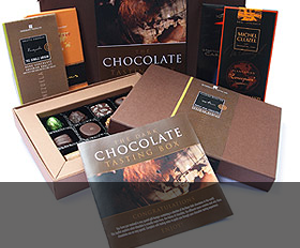
Gifts & Giveaways
Fine chocolate offers and vouchers....latest offer

Blogging tutorials
Easy tips to make your blog, twitter or tumblr accounts look good....see example

Social networking tips
Published articles by me on networking and social tools....see example

Art & Photography
Licenced images by Mandy Collins....read more
Showing posts with label internal page links. Show all posts
Showing posts with label internal page links. Show all posts
Monday, September 10, 2007


Monday, July 16, 2007
Have you neglected your internal links? an SEO guide for small businesses
Have you neglected the internal page links of your website?
Whilst the buzz is incoming links from other websites and blogs that share a common theme with your topic, did you know that how your website internally links also plays a part?
Site maps - click here to see site map example - (no not the Google Site Maps – I'll get to those another day) – no website should be without one.
Many sites use flash banners and buttons as a means for visitors to navigate around the website. All well and good if you're a human but not so good if your a search engine spider.
Of course, you can remedy this oversight easily and if you haven't, then start straight away, simply by adding html text links as a back up to your pretty buttons. Have you noticed that many sites have both image and text links to a page? That's the reason. That way, both sorts of visitors – the human and non-human will be able to navigate with equal ease.
Next, you want to get yourself a site map.
Again, you'll be appealing to both human and machine so its important to spend a little bit of time on this. Firstly, it wants to be a plain html page – no fancy inclusive files here. In fact any file name that has a ? in the url should be avoided for this page. Why? Well we know that some search engines struggle to get past a ? in a url, and for this reason many database websites will suffer or find it harder to get crawled.
Plain text links within a html environment will help overcome this.
Another important aspect of using a site map is that you can use specific key-worded text as the anchor text for the link to a particular page. Let me give you an example:
Instead of “jigsaw puzzles” (linking to the jigsaw puzzle page), why not consider ““Personalised photo jigsaw puzzles”? You see, just by adding those few extra keywords in there, your already creating a much more desirable link for both spiders and people alike.
Even better if you can copy the title or description tag of the particular page your linking to, which should already be heavily optimised as this re-enforces things from a spiders point of view.
This is where you'll have to be careful though that you don't create a site map that looks a bit gibberish.
You'll need to strike a balance between over keyword stuffing (never advisable) and not being specific enough.
So how should you structure your site map? Logically and thoroughly.
First list all your pages including the really deep seated ones e.g a fuller description of a product or point on its own pop up window etc.
Then put them into a logical order. Start with your main pages and then filter outwards. If you have 7 products leading from the product page, then try to give this layout a bit of form – remember you're trying to appeal to human visitors and this is your chance.
At the beginning, I said it was about how your own site pages interlink with each other. If you have the opportunity, then link back to other pages but try to be specific. Use anchor points to go back to a particular point on a particular page and this will help the spiders crawl your site more deeply.
Of course, these links shouldn't be hidden so no css style sheets making links appear as undecorated text. This is not a good idea! Seach Engines will penalise if they think you're using underhand tactics to disguise links etc. Try an underline when mouseover or a different colour text. It doesn't have to be underlined all the time.
So your SEO checklist should now read:
Create Site Map html document
Create interlinks between internal pages
Once those two tasks are complete, if you haven't already, then now is the perfect time to create a Google Site Map and submit it to their site map program, based on your own internal site map, you've just created or ammended.
Finally – it's important to keep up to date with Site Maps. Neglect them – fail to update new pages or remove old ones no longer live and you'll do your site and your visitors a disservice.
Jonathan C Crouch
About the author – Jonathan is webmaster for “Fabulous Photo Gifts – personalised photo gifts. In between, tasks, he writes a number of SEO articles aimed at smaller businesses which are published and socially bookmarked across a variety of directories.
If you would like a website designing, or feel that your present site could perform better, then contact Jonathan at “Fabulous Photo Gifts.
Like this SEO tip? Jump to the last SEO article on this blog - click here
Whilst the buzz is incoming links from other websites and blogs that share a common theme with your topic, did you know that how your website internally links also plays a part?
Site maps - click here to see site map example - (no not the Google Site Maps – I'll get to those another day) – no website should be without one.
Many sites use flash banners and buttons as a means for visitors to navigate around the website. All well and good if you're a human but not so good if your a search engine spider.
Of course, you can remedy this oversight easily and if you haven't, then start straight away, simply by adding html text links as a back up to your pretty buttons. Have you noticed that many sites have both image and text links to a page? That's the reason. That way, both sorts of visitors – the human and non-human will be able to navigate with equal ease.
Next, you want to get yourself a site map.
Again, you'll be appealing to both human and machine so its important to spend a little bit of time on this. Firstly, it wants to be a plain html page – no fancy inclusive files here. In fact any file name that has a ? in the url should be avoided for this page. Why? Well we know that some search engines struggle to get past a ? in a url, and for this reason many database websites will suffer or find it harder to get crawled.
Plain text links within a html environment will help overcome this.
Another important aspect of using a site map is that you can use specific key-worded text as the anchor text for the link to a particular page. Let me give you an example:
Instead of “jigsaw puzzles” (linking to the jigsaw puzzle page), why not consider ““Personalised photo jigsaw puzzles”? You see, just by adding those few extra keywords in there, your already creating a much more desirable link for both spiders and people alike.
Even better if you can copy the title or description tag of the particular page your linking to, which should already be heavily optimised as this re-enforces things from a spiders point of view.
This is where you'll have to be careful though that you don't create a site map that looks a bit gibberish.
You'll need to strike a balance between over keyword stuffing (never advisable) and not being specific enough.
So how should you structure your site map? Logically and thoroughly.
First list all your pages including the really deep seated ones e.g a fuller description of a product or point on its own pop up window etc.
Then put them into a logical order. Start with your main pages and then filter outwards. If you have 7 products leading from the product page, then try to give this layout a bit of form – remember you're trying to appeal to human visitors and this is your chance.
At the beginning, I said it was about how your own site pages interlink with each other. If you have the opportunity, then link back to other pages but try to be specific. Use anchor points to go back to a particular point on a particular page and this will help the spiders crawl your site more deeply.
Of course, these links shouldn't be hidden so no css style sheets making links appear as undecorated text. This is not a good idea! Seach Engines will penalise if they think you're using underhand tactics to disguise links etc. Try an underline when mouseover or a different colour text. It doesn't have to be underlined all the time.
So your SEO checklist should now read:
Create Site Map html document
Create interlinks between internal pages
Once those two tasks are complete, if you haven't already, then now is the perfect time to create a Google Site Map and submit it to their site map program, based on your own internal site map, you've just created or ammended.
Finally – it's important to keep up to date with Site Maps. Neglect them – fail to update new pages or remove old ones no longer live and you'll do your site and your visitors a disservice.
Jonathan C Crouch
About the author – Jonathan is webmaster for “Fabulous Photo Gifts – personalised photo gifts. In between, tasks, he writes a number of SEO articles aimed at smaller businesses which are published and socially bookmarked across a variety of directories.
If you would like a website designing, or feel that your present site could perform better, then contact Jonathan at “Fabulous Photo Gifts.
Like this SEO tip? Jump to the last SEO article on this blog - click here
Subscribe to:
Posts (Atom)