A very quick post this one.... Fabulous Photo Gifts is now on Twitter!
Twitter has been compared to the old telegraph system put onto the net.
You can communicate with other Twitters via online, email or SMS.
Here's a link to our profile as we dip our feet into Twitter and evaluate its social networking opportunities as another way to keep in touch with our customers and visitors. You'll see our latest 'twitters' in the twitter panel on the right hand side of this blog.
Oh nearly forgot - here's the link.
http://twitter.com/fabphotogifts - click here to visit.
A little flavour of what's in store...
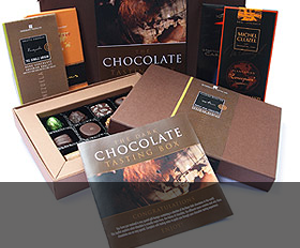
Gifts & Giveaways
Fine chocolate offers and vouchers....latest offer

Blogging tutorials
Easy tips to make your blog, twitter or tumblr accounts look good....see example

Social networking tips
Published articles by me on networking and social tools....see example

Art & Photography
Licenced images by Mandy Collins....read more
Showing posts with label social bookmarking. Show all posts
Showing posts with label social bookmarking. Show all posts
Tuesday, April 29, 2008


Friday, February 01, 2008
Adding Digg, Del.ici.ous and other Social Bookmarking to Blogger - reprise
Adding social bookmarking links like Digg and Del.ici.ous etc to your blog.
I've written several posts that have covered Social Bookmarking and the importance of it in any online campaign. Where ever possible, I've documented the scripting and steps to add such functions as Socializer, Digg and Del.ici.ous bookmarking links to individual blog posts.
I've also covered other SEO areas like RSS Feeds and the correct syntax for these so that your RSS Feed will validate with the largest possible audience.
So I thought it was time I pooled the key social bookmarking articles I've written into one easy recap with links to the most popular and viewed articles I've written:
Adding Socializer to Blogger Blog template:
After struggling to get the code exactly right to create a social bookmarking link using Socializer on my Google Blog, I thought others might appreciate a copy of how I did it and the code I used.
Despite coming across a number of helpful Blog entries, I still struggled. Hopefully, my own aid below will help you out.
CLICK HERE TO READ MORE
Adding a Tag or Label Cloud to Blogger templates:
Have you used tags on your posts? If you have then you can add a really neat widget called a Tag Cloud.
Tag Clouds display your post tags with the more popular a tag, the bigger it appears. So not only is it an instant identifier of your most popular tags (articles), it can also be used to quickly identify a topic and go straight to all the articles that include that topic (or tag).
CLICK HERE TO READ MORE
How to add Facebook social bookmarking icons to your Blogger articles and the script required:
I was determined to discover how to achieve this, given the popularity explosion over Facebook. Testament to this is the fact that the BBC now add a similar bookmarking function on all their online news stories.
CLICK HERE TO READ MORE
Adding Digg and Del.ici.ous bookmarking links:
Webmasters and SEO’s will have to adopt social book marking techniques like Blogs and RSS feeds, building up networks of followers on the likes of Digg and Del.ici.ous to get their content syndicated as much as possible. Some useful hints and the code for adding Digg and Del.ici.ous buttons and links to the bottom of your blog articles.
CLICK HERE TO READ MORE
Improving your RSS Feeds validation:
Improve your RSS Validation when putting new 'items' into your feed:
CLICK HERE TO READ MORE
Improving your RSS Feeds validation – part 2 – RSS xml header and footer syntax/script
How to correctly script your RSS Feed so that it validates across as many readers as possible, here's part 2 as promised.
In Part 1, we looked at the correct syntax for each individual item. Today we look at the 'header' and 'footer' script to complete your RSS .xml file.
CLICK HERE TO READ MORE
Hopefully, the articles above will help you not only improve your blogs social bookmarking and your RSS feeds validation, but like me, you'll also hopefully learn a bit more about the workings of your Blogger template at the same time.
Remember! Always make a back up of your Blogger template (including expanding widgets) or RSS Feed before making any changes. That way, if you get any of the programming wrong, you won't have lost anything.
Please remember to leave a comment if you found these tips helpful or informative, and don't forget you can subscribe to our RSS Feed to get up to the minute updates on all new articles published here. Click here to subscribe
I've written several posts that have covered Social Bookmarking and the importance of it in any online campaign. Where ever possible, I've documented the scripting and steps to add such functions as Socializer, Digg and Del.ici.ous bookmarking links to individual blog posts.
I've also covered other SEO areas like RSS Feeds and the correct syntax for these so that your RSS Feed will validate with the largest possible audience.
So I thought it was time I pooled the key social bookmarking articles I've written into one easy recap with links to the most popular and viewed articles I've written:
Adding Socializer to Blogger Blog template:
After struggling to get the code exactly right to create a social bookmarking link using Socializer on my Google Blog, I thought others might appreciate a copy of how I did it and the code I used.
Despite coming across a number of helpful Blog entries, I still struggled. Hopefully, my own aid below will help you out.
CLICK HERE TO READ MORE
Adding a Tag or Label Cloud to Blogger templates:
Have you used tags on your posts? If you have then you can add a really neat widget called a Tag Cloud.
Tag Clouds display your post tags with the more popular a tag, the bigger it appears. So not only is it an instant identifier of your most popular tags (articles), it can also be used to quickly identify a topic and go straight to all the articles that include that topic (or tag).
CLICK HERE TO READ MORE
How to add Facebook social bookmarking icons to your Blogger articles and the script required:
I was determined to discover how to achieve this, given the popularity explosion over Facebook. Testament to this is the fact that the BBC now add a similar bookmarking function on all their online news stories.
CLICK HERE TO READ MORE
Adding Digg and Del.ici.ous bookmarking links:
Webmasters and SEO’s will have to adopt social book marking techniques like Blogs and RSS feeds, building up networks of followers on the likes of Digg and Del.ici.ous to get their content syndicated as much as possible. Some useful hints and the code for adding Digg and Del.ici.ous buttons and links to the bottom of your blog articles.
CLICK HERE TO READ MORE
Improving your RSS Feeds validation:
Improve your RSS Validation when putting new 'items' into your feed:
CLICK HERE TO READ MORE
Improving your RSS Feeds validation – part 2 – RSS xml header and footer syntax/script
How to correctly script your RSS Feed so that it validates across as many readers as possible, here's part 2 as promised.
In Part 1, we looked at the correct syntax for each individual item. Today we look at the 'header' and 'footer' script to complete your RSS .xml file.
CLICK HERE TO READ MORE
Hopefully, the articles above will help you not only improve your blogs social bookmarking and your RSS feeds validation, but like me, you'll also hopefully learn a bit more about the workings of your Blogger template at the same time.
Remember! Always make a back up of your Blogger template (including expanding widgets) or RSS Feed before making any changes. That way, if you get any of the programming wrong, you won't have lost anything.
Please remember to leave a comment if you found these tips helpful or informative, and don't forget you can subscribe to our RSS Feed to get up to the minute updates on all new articles published here. Click here to subscribe
Wednesday, June 27, 2007
Passing the 100'th Blog entry
Hi all
Just wanted to announce that the Fabulous Photo Gifts Blog has just passed it's 100th Blog entry.
In the relatively short time that it's been running, we've covered everything from international artwork sales of Purple 13 artwork (by Mandy Collins) to helpful SEO articles for small businesses and even speculated on the next Bond film theme song artist.
Articles have been Dugg, Del.icio.us'd, bookmarked and discussed so a big thank you to all who have contributed to our syndication.
We've also undergone a major re-design to reflect both the social bookmarking features that were recently introduced and the change of direction to incorporate more news from Fabulous Photo Gifts and the gift giving world in particular.
In fact, you'll now find us on a number of Blog catalogue sites including Google Blog Search, Technorati, Blogcatalog etc.
Not a subscriber? Why not subscribe now or if you prefer, why not subscribe to our RSS Feed - the url is: http://www.purple13.co.uk/rss.xml
We now look forward to the next 100 posts and sharing them with an even bigger audience.
Just wanted to announce that the Fabulous Photo Gifts Blog has just passed it's 100th Blog entry.
In the relatively short time that it's been running, we've covered everything from international artwork sales of Purple 13 artwork (by Mandy Collins) to helpful SEO articles for small businesses and even speculated on the next Bond film theme song artist.
Articles have been Dugg, Del.icio.us'd, bookmarked and discussed so a big thank you to all who have contributed to our syndication.
We've also undergone a major re-design to reflect both the social bookmarking features that were recently introduced and the change of direction to incorporate more news from Fabulous Photo Gifts and the gift giving world in particular.
In fact, you'll now find us on a number of Blog catalogue sites including Google Blog Search, Technorati, Blogcatalog etc.
Not a subscriber? Why not subscribe now or if you prefer, why not subscribe to our RSS Feed - the url is: http://www.purple13.co.uk/rss.xml
We now look forward to the next 100 posts and sharing them with an even bigger audience.
Thursday, June 07, 2007
Why Social Bookmarking is so important - part 2
Seo article
Why Social book marking is so important
Watch out, watch out! No there’s not a Humphrey about (a Humphrey was a red and white striped straw that used to roam in gangs looking to pinch kids milk in the popular ‘70’s milk TV adverts – gave kids nightmares for years), but rather a much larger straw intent on drinking up as much online content as it can and blowing it back at you ‘in your face’.
The ‘straw’ of course is Google.
With the not so recent acquisition of Utube and the more recent acquisition of Feedburner, there’s no doubt in my mind anymore that Google is building towards a global domination of serving information the likes of which have never been seen (if you don’t count the World Service broadcasts) only it’s not London calling. This time it’s a different tune altogether.
At present, you can perform searches on Google, Google Blog search and Google image search. There are other bits waiting in the labs you can play with but these are the main three.
With the more recent purchases, I reckon Google is hurrying along plans to present a new kind of search engine where when you type in a search query, the results presented will be a mix of listing, blog and images all rolled into one.
Personally I think this would be a mistake.
It’s OK if you’re searching for something really off-beat but for every day search’s, what it will do is mean you’ll have to use longer search queries to get to the meat of what you’re looking for. Searchers are going to have to be a lot more specific in future.
I’d prefer it if Google developed a new interface whereby a search result is broken into 3 vertical frames – general, blog and image all within the same page. From that you could then click on which ‘field’ you want to explore further but perhaps the other ‘fields’ could minimalise rather than disappear altogether.
This will have huge implications for PPC campaigns as I suspect you’ll have a choice of which ‘frame’ you want your campaign to appear in and depending on the field, I suspect you may pay a premium.
Of course the scenario I’ve painted above will have huge implications for SEO to. It’s not hard to imagine that multiple frame ideas will result in less results per page and those early page positions will be keenly contested.
Which brings me back to my original question - why social book marking is so important.
If Google does adopt a model like the one above, then a ‘web presence’ simply won’t do anymore. Webmasters and SEO’s will have to adopt social book marking techniques like Blogs and RSS feeds, building up networks of followers on the likes of Digg and Del.ici.ous to get their content syndicated as much as possible.
Because Google will roll out search results based on social recommendation and relevancy, and content alone (whilst good content will always have a place) will become less important than the number of people regarding it as important.
If you haven’t already started then now is a perfect time to start socialising.
Get a Blog, get an RSS Feed on your website and start publishing to the masses. One comment I hear and read time and again is ‘what would I write about?’ I won’t bore you with the answers here – many people, better qualified than I have already answered that one. In a nutshell, anything that you think someone out there might like to read and share with others. New products, Q & A on your particular field, the office cat even. And if you still can’t think of anything, then turn your staff loose – they’re a creative bunch – you’ll soon find you have everything from pot roast recipes to how to deal with a scraped knee at the park attracting an audience.
Google have their own Blog creator – Blogger.com. Its easy to use and moderate comments. Once you get into it, you’ll find there’s loads of help on the net for customising and adding functionality as well as making book marking easier for readers. Little things like adding a Digg this to the bottom of each post puts you one step (or should that be click) nearer to getting your content syndicated (linked to). You might want to check out this excellent ‘how to’ from a fellow blogger as well as an earlier ‘how to’ post I wrote about adding Socializer and Digg It to your Blog
I know there are other Blog building programs and sites out there – I mention Blogger because with it already being by Google, it already fits into the way they do things so would be that much easier to integrate results from etc. A bit too grassy knowl conspiracy for you? Ask Mulder and Scully. The truth is out there.
Also, try adding other blogs and feeds to your own group of interest. You’ll find that eventually, you’ll get a link back. Leave thoughtful comments on other pieces you come across and before you know it, you’ll receive a comment back.
Try to be transparent – it’s all to easy to only allow ‘good comments’, however, done right, a negative can still be turned into a positive – always try to respond to a negative comment so that other readers can see you’re sincere and not afraid to be taken to task. It will create a stronger positive reaction to your company and Google will love it because people are obviously reading your copy.
One example of this is a recent piece I discovered on a car retail dealership training website which stated customer complaints solved on the spot created more brand loyalty than a satisfied customer. Check out the full piece here: www.edt.uk.com/index.php?ref=news#customer
Finally, remember that not every piece you write has to be shoving a selling message down the reader’s throat for your product or service. I have read that SEO articles are particularly bad when it comes to attracting visitors – there’s so many of us out there you see, but I don’t declare myself a SEO expert. Rather, I’d wish to offer my take on things and offer practical advice and I won’t recommend anything I haven’t done myself.
Apart from all the rumours circulating on forums etc, one small clue as to this possible socialising outcome is a small application in Google Labs called Google Sets (http://labs.google.com/sets).
You’re invited to enter 5 keywords and then Google will go off and predict other ‘keywords’ for that set. Clicking on them then brings up a list of search results.
Perhaps in the final version, this will pick up on blog labels???? An interesting thought.
And here’s another, With Google getting even larger, how much longer can it claim its impartiality? With products like Google checkout, any other business would obviously push it’s own customers above others – that’s good financial sense and although Google wouldn’t seem to be short of a penny or two, executive toys and new acquisitions don’t come cheap.
Jonathan C Crouch
About the author – Jonathan is an I.T professional, living and working in Derby. He is also the web developer and technical ‘guru’ for Fabulous Photo Gifts – an online personalised photo gift company run by his partner Mandy Collins. His most recent project was a web design for a family whose twins were diagnosed with Spinal Muscular Atrophy. Check out there helpful website at www.twinswithsma.co.uk or subscribe to their new blog – http://twinswithsma.blogspot.com
Enjoy this article? Find it helpful? Don’t forget to Bookmark or add to your favourites.
Why Social book marking is so important
Watch out, watch out! No there’s not a Humphrey about (a Humphrey was a red and white striped straw that used to roam in gangs looking to pinch kids milk in the popular ‘70’s milk TV adverts – gave kids nightmares for years), but rather a much larger straw intent on drinking up as much online content as it can and blowing it back at you ‘in your face’.
The ‘straw’ of course is Google.
With the not so recent acquisition of Utube and the more recent acquisition of Feedburner, there’s no doubt in my mind anymore that Google is building towards a global domination of serving information the likes of which have never been seen (if you don’t count the World Service broadcasts) only it’s not London calling. This time it’s a different tune altogether.
At present, you can perform searches on Google, Google Blog search and Google image search. There are other bits waiting in the labs you can play with but these are the main three.
With the more recent purchases, I reckon Google is hurrying along plans to present a new kind of search engine where when you type in a search query, the results presented will be a mix of listing, blog and images all rolled into one.
Personally I think this would be a mistake.
It’s OK if you’re searching for something really off-beat but for every day search’s, what it will do is mean you’ll have to use longer search queries to get to the meat of what you’re looking for. Searchers are going to have to be a lot more specific in future.
I’d prefer it if Google developed a new interface whereby a search result is broken into 3 vertical frames – general, blog and image all within the same page. From that you could then click on which ‘field’ you want to explore further but perhaps the other ‘fields’ could minimalise rather than disappear altogether.
This will have huge implications for PPC campaigns as I suspect you’ll have a choice of which ‘frame’ you want your campaign to appear in and depending on the field, I suspect you may pay a premium.
Of course the scenario I’ve painted above will have huge implications for SEO to. It’s not hard to imagine that multiple frame ideas will result in less results per page and those early page positions will be keenly contested.
Which brings me back to my original question - why social book marking is so important.
If Google does adopt a model like the one above, then a ‘web presence’ simply won’t do anymore. Webmasters and SEO’s will have to adopt social book marking techniques like Blogs and RSS feeds, building up networks of followers on the likes of Digg and Del.ici.ous to get their content syndicated as much as possible.
Because Google will roll out search results based on social recommendation and relevancy, and content alone (whilst good content will always have a place) will become less important than the number of people regarding it as important.
If you haven’t already started then now is a perfect time to start socialising.
Get a Blog, get an RSS Feed on your website and start publishing to the masses. One comment I hear and read time and again is ‘what would I write about?’ I won’t bore you with the answers here – many people, better qualified than I have already answered that one. In a nutshell, anything that you think someone out there might like to read and share with others. New products, Q & A on your particular field, the office cat even. And if you still can’t think of anything, then turn your staff loose – they’re a creative bunch – you’ll soon find you have everything from pot roast recipes to how to deal with a scraped knee at the park attracting an audience.
Google have their own Blog creator – Blogger.com. Its easy to use and moderate comments. Once you get into it, you’ll find there’s loads of help on the net for customising and adding functionality as well as making book marking easier for readers. Little things like adding a Digg this to the bottom of each post puts you one step (or should that be click) nearer to getting your content syndicated (linked to). You might want to check out this excellent ‘how to’ from a fellow blogger as well as an earlier ‘how to’ post I wrote about adding Socializer and Digg It to your Blog
I know there are other Blog building programs and sites out there – I mention Blogger because with it already being by Google, it already fits into the way they do things so would be that much easier to integrate results from etc. A bit too grassy knowl conspiracy for you? Ask Mulder and Scully. The truth is out there.
Also, try adding other blogs and feeds to your own group of interest. You’ll find that eventually, you’ll get a link back. Leave thoughtful comments on other pieces you come across and before you know it, you’ll receive a comment back.
Try to be transparent – it’s all to easy to only allow ‘good comments’, however, done right, a negative can still be turned into a positive – always try to respond to a negative comment so that other readers can see you’re sincere and not afraid to be taken to task. It will create a stronger positive reaction to your company and Google will love it because people are obviously reading your copy.
One example of this is a recent piece I discovered on a car retail dealership training website which stated customer complaints solved on the spot created more brand loyalty than a satisfied customer. Check out the full piece here: www.edt.uk.com/index.php?ref=news#customer
Finally, remember that not every piece you write has to be shoving a selling message down the reader’s throat for your product or service. I have read that SEO articles are particularly bad when it comes to attracting visitors – there’s so many of us out there you see, but I don’t declare myself a SEO expert. Rather, I’d wish to offer my take on things and offer practical advice and I won’t recommend anything I haven’t done myself.
Apart from all the rumours circulating on forums etc, one small clue as to this possible socialising outcome is a small application in Google Labs called Google Sets (http://labs.google.com/sets).
You’re invited to enter 5 keywords and then Google will go off and predict other ‘keywords’ for that set. Clicking on them then brings up a list of search results.
Perhaps in the final version, this will pick up on blog labels???? An interesting thought.
And here’s another, With Google getting even larger, how much longer can it claim its impartiality? With products like Google checkout, any other business would obviously push it’s own customers above others – that’s good financial sense and although Google wouldn’t seem to be short of a penny or two, executive toys and new acquisitions don’t come cheap.
Jonathan C Crouch
About the author – Jonathan is an I.T professional, living and working in Derby. He is also the web developer and technical ‘guru’ for Fabulous Photo Gifts – an online personalised photo gift company run by his partner Mandy Collins. His most recent project was a web design for a family whose twins were diagnosed with Spinal Muscular Atrophy. Check out there helpful website at www.twinswithsma.co.uk or subscribe to their new blog – http://twinswithsma.blogspot.com
Enjoy this article? Find it helpful? Don’t forget to Bookmark or add to your favourites.
Wednesday, June 06, 2007
Using Socializer on Blogger - how to guide
Hi.
After struggling to get the code exactly right to create a social bookmarking link using Socializer on my Google Blog, I thought others might appreciate a copy of how I did it and the code I used.
Despite coming across a number of helpful Blog entries, I still struggled. Hopefully, my own aid below will help you out.
1) In your blog under the TEMPLATE tab
click on ADD PAGE ELEMENT
Give the page element a title, e.g Social Bookmarking links
2) In the main body window of the element, paste the following code:
You'll see that url=http (etc) features the slashes so you don't need to retype the http:// bit of your URL when entering it. E.G this blog url is http://purple13.blogspot.com, but the cut and paste code already deals with the http:// so you just need to add the rest.
Don't forget to add your own URL here in place of the Purple13 one!!
The image link is wherever you've uploaded your own socializer logo too. For this you will need to have a server where you can upload image (Flickr, etc.) and also need to know the URL of that image. You can grab a copy of the icons (small or large) from http://ekstreme.com/socializer/.
Hope that helps. Now i've fulfilled a self made promise to help others by publishing this as soon as i'd found out how to do it myself.
Socializer allows you to socially bookmark a website or blog to your preferred bookmarking site rather than the website or blog having to create bookmark links to all the bookmarking sites seperately.
After struggling to get the code exactly right to create a social bookmarking link using Socializer on my Google Blog, I thought others might appreciate a copy of how I did it and the code I used.
Despite coming across a number of helpful Blog entries, I still struggled. Hopefully, my own aid below will help you out.
1) In your blog under the TEMPLATE tab
click on ADD PAGE ELEMENT
Give the page element a title, e.g Social Bookmarking links
2) In the main body window of the element, paste the following code:
<a href="http://ekstreme.com/socializer/?url=http%3A%2F%2Fpurple13.blogspot.com%2F&title=Fabulous Photo Gifts - News, Features etc"><img src="http://www.myurlhere.com/Socializer16.png"> Social bookmark this Blog</a>
You'll see that url=http (etc) features the slashes so you don't need to retype the http:// bit of your URL when entering it. E.G this blog url is http://purple13.blogspot.com, but the cut and paste code already deals with the http:// so you just need to add the rest.
Don't forget to add your own URL here in place of the Purple13 one!!
The image link is wherever you've uploaded your own socializer logo too. For this you will need to have a server where you can upload image (Flickr, etc.) and also need to know the URL of that image. You can grab a copy of the icons (small or large) from http://ekstreme.com/socializer/.
Hope that helps. Now i've fulfilled a self made promise to help others by publishing this as soon as i'd found out how to do it myself.
Socializer allows you to socially bookmark a website or blog to your preferred bookmarking site rather than the website or blog having to create bookmark links to all the bookmarking sites seperately.
Subscribe to:
Posts (Atom)