Re: earlier SEO post about adding a tag or label cloud to your blog:
Click here to read the previous article on tag clouds for Blogger
I've just discovered something rather interesting.
If you've used the code to add a tag cloud to your Blogger template, if you ever decide to change your Blog template, beware!
You'll have to go into your template and re-insert steps 1 and 2 of the code for adding the tag cloud. Step 3 remains in place but obviously nothing is generated.
Just thought I'd forwarn you all. Have fun and if you haven't tried it yet then why not? A tag or label cloud is a great way to help visitors find the article they want quickly and easily.
And the code allows you to finetune so you can select, for instance, how many repeats of a tag or label before that tag shows up in the cloud. Neat eh?
A little flavour of what's in store...
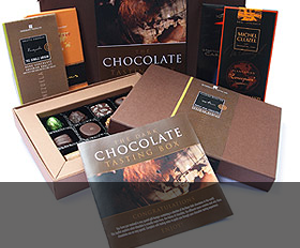
Gifts & Giveaways
Fine chocolate offers and vouchers....latest offer

Blogging tutorials
Easy tips to make your blog, twitter or tumblr accounts look good....see example

Social networking tips
Published articles by me on networking and social tools....see example

Art & Photography
Licenced images by Mandy Collins....read more
Showing posts with label tag clouds. Show all posts
Showing posts with label tag clouds. Show all posts
Thursday, October 04, 2007


Wednesday, July 18, 2007
If only visitors could find articles quickly - SEO tip
How often have you visited a Blog and left because there were so many articles, you couldn't find the one you had intended to read?
This can be especially frustrating if you click a link from a search engine that just takes you to the blog (in general) rather than to a specific story.
There are several reasons for this. Either the Search Engine has just returned the result because it thought it matched, but its only matched to the blog url and not the specific story url or its picked up from a technorati thread etc, but again the link wasn't to a specific story.
When digging or delicious adding, its important to be specific - the same when linking back to past articles - be specific.
Not sure what URL to limk to? Easy - just click on the story you want to link to and copy and paste the URL from the address bar.
However, you haven't previously made specific links so all is lost right? Wrong! There's still much you can do. Have you used tags on your posts? If you have then you can add a really neat widget called a Tag Cloud.
Tag Clouds display your post tags with the more popular a tag, the bigger it appears. So not only is it an instant identifier of your most popular tags (articles), it can also be used to quickly identify a topic and go straight to all the articles that include that topic (or tag).
At Fabulous Photo Gifts, we've been working on a way to add a Tag Cloud of our own but ended up using the excellent bit of code for adding a Tag Cloud to Blogger here:
http://phydeaux3.blogspot.com/2006/09/code-for-beta-blogger-label-cloud.html
Many thanks to Phydeaux3 for sharing that with the rest of us.
Like this SEO tip? Jump to the last SEO article on this blog - click here
This can be especially frustrating if you click a link from a search engine that just takes you to the blog (in general) rather than to a specific story.
There are several reasons for this. Either the Search Engine has just returned the result because it thought it matched, but its only matched to the blog url and not the specific story url or its picked up from a technorati thread etc, but again the link wasn't to a specific story.
When digging or delicious adding, its important to be specific - the same when linking back to past articles - be specific.
Not sure what URL to limk to? Easy - just click on the story you want to link to and copy and paste the URL from the address bar.
However, you haven't previously made specific links so all is lost right? Wrong! There's still much you can do. Have you used tags on your posts? If you have then you can add a really neat widget called a Tag Cloud.
Tag Clouds display your post tags with the more popular a tag, the bigger it appears. So not only is it an instant identifier of your most popular tags (articles), it can also be used to quickly identify a topic and go straight to all the articles that include that topic (or tag).
At Fabulous Photo Gifts, we've been working on a way to add a Tag Cloud of our own but ended up using the excellent bit of code for adding a Tag Cloud to Blogger here:
http://phydeaux3.blogspot.com/2006/09/code-for-beta-blogger-label-cloud.html
Many thanks to Phydeaux3 for sharing that with the rest of us.
Like this SEO tip? Jump to the last SEO article on this blog - click here
Subscribe to:
Posts (Atom)