How you arrange the side bar of your Blog reveals a lot about serious you are about connecting with people and making sharing your blog with others.
And no more so than if your blog has a commercial flavour where the life-blood of the exercise is to reach as wide an audience (and potential customers) as possible.
Here are a few tips to help you spread the word.
Place your rss subscribe link and email subscribe links at the very top of your side bar. If they're buried beneath other side panel 'widgets', the chances of them getting seen are pretty slim. It makes sense to make them as visible as possible.
My 'model' for a commercial blogs side panel is this:
RSS / Email and Twitter subscribe links first.
- i like to add a little please comment logo here also -
Your latest offer
Your twitter feed - last 5 comments is plenty
Blog archive
About you.
….anything else.
Even if you're using a standard blogger template, there are still things you can do to make it look a little more unique and business like.
Customise the header with an image - your company logo for example.
Customise the fonts, colours of headings and links etc.
For those comfortable with html and css, consider going into your Blogger template and making it wider than it is at present or add a custom background.
Now that your blog is ready for customers, the next thing you need to do is get both your content 'out there' and let potential customers know your blog exists.
Use social media sites like Digg and Stumbleupon to share your content. To attract readers, publicise your latest posts on Twitter or weave them into your genuine comments on other blogs and forums.
You've got em' - now how to keep em'?
Gaining a new following is all well and good but how exactly are you going to keep them coming back for more?
You've made it easy for them to keep up to date whenever you post something new - via RSS or email alerts - even Twitter is automatically tweeting new posts.
In a word - Content.
Gimmicks are short lived - it's content that will keep people coming back for more. So it may take you a while to discover exactly what sort of content and what style of writing most appeals to your readers.
Vary the styles a bit until you find a format that works for you, but also feels comfortable to write. If you enjoy it, then you're more likely to make a success of it.
A general rule of thumb is shorter posts with links to 'read more', which Blogger now supports, rather than long posts but it really depends on your audience. If they're looking for a really in-depth analysis, then a longer piece might convey that it is more in depth.
Cheers and good luck! - Jonathan.
Jonathan is technical partner for Fabulous Photo Gifts - online personalised photo gifts and presents. When he's not busy updating the website, he likes to blog useful seo tips for other small businesses.
A little flavour of what's in store...
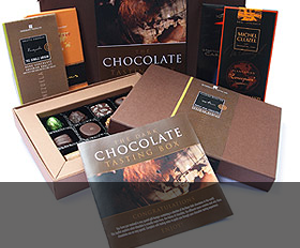
Gifts & Giveaways
Fine chocolate offers and vouchers....latest offer

Blogging tutorials
Easy tips to make your blog, twitter or tumblr accounts look good....see example

Social networking tips
Published articles by me on networking and social tools....see example

Art & Photography
Licenced images by Mandy Collins....read more
Showing posts with label seo article. Show all posts
Showing posts with label seo article. Show all posts
Wednesday, October 28, 2009


Friday, September 11, 2009
Adding visitor stats to your Tumblr Blog
Did you know Fabulous Photo Gifts has a Tumblr Blog?
Sometimes its nice to know who's been visiting your blog and where they came from, rather than just a numbers game - "i had so many visitors last week" etc.
Blogger and Wordpress blog platforms make it really easy to quickly add stat programs like Google Analytics and StatCounter.
However, when I came to add StatCounter stats to my Tumblr account, where we've been featuring a fantasy iPod playlist with a different tune each day, I found it rather more challenging.
I couldn't find anything in the help pages and most online searches drew a blank.
Then I found, almost by accident, the nugget of information - how to install javascript into your Tumblr template and so I'd like to share that information with you here.
As with all template changes, please, please make sure you've got a back up somewhere first (expand widgets if you're doing such template changed on Blogger) as things can go wrong and be very very hard to recover from. You've been warned! (But don't let that put you off trying altogether).
So in my case, I wanted to install the custom tracking javascript supplied by StatCounter. Here's what you do:
Log into your Tumblr Account
Click the "Customize" link
Click "Theme" and then select "Use Custom HTML"
Scroll the the END of the code and paste your StatCounter code JUST BEFORE the < /body > < /html > tags.
Don't forget to click "Save Changes"
Enjoy your stats!
Click here to read the full how to.
You'll find more information on configuring your stats via StatCounter here:
http://www.statcounter.com/help/knowledge_base/Configuration.html
And for some impressive Tumblr statistics of their own - read the Blog Herald story
Sometimes its nice to know who's been visiting your blog and where they came from, rather than just a numbers game - "i had so many visitors last week" etc.
Blogger and Wordpress blog platforms make it really easy to quickly add stat programs like Google Analytics and StatCounter.
However, when I came to add StatCounter stats to my Tumblr account, where we've been featuring a fantasy iPod playlist with a different tune each day, I found it rather more challenging.
I couldn't find anything in the help pages and most online searches drew a blank.
Then I found, almost by accident, the nugget of information - how to install javascript into your Tumblr template and so I'd like to share that information with you here.
As with all template changes, please, please make sure you've got a back up somewhere first (expand widgets if you're doing such template changed on Blogger) as things can go wrong and be very very hard to recover from. You've been warned! (But don't let that put you off trying altogether).
So in my case, I wanted to install the custom tracking javascript supplied by StatCounter. Here's what you do:
Log into your Tumblr Account
Click the "Customize" link
Click "Theme" and then select "Use Custom HTML"
Scroll the the END of the code and paste your StatCounter code JUST BEFORE the < /body > < /html > tags.
Don't forget to click "Save Changes"
Enjoy your stats!
Click here to read the full how to.
You'll find more information on configuring your stats via StatCounter here:
http://www.statcounter.com/help/knowledge_base/Configuration.html
And for some impressive Tumblr statistics of their own - read the Blog Herald story
Wednesday, August 05, 2009
Thinking of changing your avatar?

I sometimes think I'd like to change my avatar (the little picture that accompanies your blog and twitter posts). Something that says a bit more about who I am, what I like or is more indicative of our business of personalised photo gifts. Now there's a radical thought.
Here are just a few of the ideas I've had:
Fozzie Bear (from the Muppets) - he's always happy, nothing gets him down, a real friend who'd do anything for his friends, sometimes shy and a little timid.
A banana - I like bananas, I like the colour yellow, they suggest tropical sun drenched paradise.
A jigsaw piece - Our company started out just personalising jigsaw puzzles with your own photographs. That was three years ago. Today, we still have the largest selection of jigsaw puzzles you can personalise - we've just added more gift ideas as we've gone along.
Mandy's picture - It's Mandy's business really - I just do all the online stuff and upkeep for her website. Problem is, she's a little camera shy - can you believe it?
Keeping the same image - a mug shot of me on a childrens rollercoaster ride (click here to read the full story of that one), suffice to say the smile (i'm always smiling) is more a hanging on for dear life grimace on this occasion.
You see I had a bit of a dissagreement with a friend the other day on the subject of avatar changes. My view is that once you start using one avatar, it's 'suicide' to change it. My feelings are that your avatar becomes your quick reference for regular followers amongst a fast changing sea of faces and icons.
It's something instantly recognisable that a follower can spot - a bit like tying a j-cloth around the handle of your suitcase when you travel abroad so you can spot it easily on the luggage carousel.
I wouldn't go so far as to suggest that by changing your avatar you're not bothered about your followers being able to continue following you - there is RSS etc to keep them informed, but anything that you change that will make it harder for and possible cost you followers / customers cannot be a good thing.
If you do feel compelled to change your avatar, be prepared to work really hard to ensure that everyone knows what you used to look like.
P.S This is our 401st Blog post - you have been reading....
Sunday, July 19, 2009
Where did you get that hat? Using photographs to illustrate your blog posts

A picture paints a thousand words - that's what they say.
Here at Fabulous Photo Gifts , we're used to dealing with all manner of photographs - family portraits, outings, holidays, pets, weddings etc as we personalise your gift choices and despatch them asap.
You'll have probably noticed that on our blog, we like to highlight certain posts with an illustration or two. We love photography!
The photos and images we use on our Blog generally fall into 3 categories:
Product pictures - our own photographs of actual examples of our range of photo gifts, many featuring our own family and friends. If you've visited our website, you'll see that we use plenty of large pictures to show customers exactly what they're ordering.
Own photography - When we're not busy in the Fab' Photo Gifts workshop, we like to go out and take beautiful pictures of our own, many of which are held on various stock image libraries for purchase. Some even make it into publications and point of sale materials used by publishers and companies the world over. (see more at http://www.purple13.co.uk - digital photo art of Fabulous Photo Gifts proprietor Mandy Collins).
Stock photography - sometimes something a little more abstract is preferred and for that, we turn to Flickr common licence photography, where very often, little more than accrediting the photographer and linking to the image on Flickr is all that's required - like the photo above.
Stock photography allows you to draw from a wider pool of images than you may have available to yourself. It also gives you the opportunity to spice up your posts with a well chosen 'caption' photograph. See the difference using a few images to illustrate your blog posts can make.
I don't illustrate every post, it's not always necessary. I'm also mindful of page load times when there are loads of large images etc. Tread carefully, size to fit, reduce colour levels / dpi / quality etc and you'll be fine.
Go on! Go illustrate!
photo credit: thunderbirdchild5
Wednesday, July 15, 2009
How do we measure blog post failure?
How do we measure blog post failure?
Did your blog post fail because it failed to attract any comments? Did it fail to attract any views (from tracking stats)? or did it fail to satisfy on a personal level ("I was really happy with that post")?
Did it get shared on any number of social websites? Did it get re-tweeted? Did it get linked to by another blogger? Did you make it easy to share by publicising it?
Was it used to illustrate a point? Did it offer a solution to a problem? Did it offer advice or a personal perspective?
Did you scare your regular readers by being too far off your normal topic?
Did you try to engage readers when finishing the post by posing a question? Did it end on a 'take it or leave it' note? Did it encourage anyone to read another earlier post you've written or direct them to another Blogger's article?
Was it to long to keep the attention of the reader? Was it too short to be of interest? Did it do everything to 'stake its claim' to the web 'real estate' it was taking up?
Answer truthfully - do you still think your post was a failure?
“The only real failure in life is the failure to try.”
Feel free to share your experiences of thoughts here.
Did your blog post fail because it failed to attract any comments? Did it fail to attract any views (from tracking stats)? or did it fail to satisfy on a personal level ("I was really happy with that post")?
Did it get shared on any number of social websites? Did it get re-tweeted? Did it get linked to by another blogger? Did you make it easy to share by publicising it?
Was it used to illustrate a point? Did it offer a solution to a problem? Did it offer advice or a personal perspective?
Did you scare your regular readers by being too far off your normal topic?
Did you try to engage readers when finishing the post by posing a question? Did it end on a 'take it or leave it' note? Did it encourage anyone to read another earlier post you've written or direct them to another Blogger's article?
Was it to long to keep the attention of the reader? Was it too short to be of interest? Did it do everything to 'stake its claim' to the web 'real estate' it was taking up?
Answer truthfully - do you still think your post was a failure?
“The only real failure in life is the failure to try.”
Feel free to share your experiences of thoughts here.
Sunday, June 07, 2009
Link That Halibut - (from our photo gift blog archives)

Isn't it fun looking back over past blog posts?
Earlier this morning, I took a little trip down memory lane to see what Fabulous Photo Gifts was blogging this time 2 years ago (June 2007) - the Halibut headline caught my eye - I didn't actually remember writing that one!
Anyway, I read on and had a good giggle - there's even a still relevant SEO piece in there somewhere.
Join me as we turn back time to 2007 when I was writing this.... Link That Halibut
photo credit: oskay
Tuesday, June 02, 2009
We must Communicate - seo article

It seems you can hardly click on a news website or trip over a social marketeer without hearing about Twitter or 'social networking' these days.
Whilst some will be yawning, others think its the greatest thing since sliced wholemeal bread - you know, the one with the seeds on top.
But what does it all mean?
In a nutshell, it means that website owners, bloggers and social commentators - in fact anyone who has a website (whether that's an online business like Fabulous Photo Gifts) or a private individual, blog or participates on Twitter and Facebook etc want to talk to you ... and want you to talk back.
It's never been easier to leave a comment or post a reply - there's a multitude of 'instant share links' available and any savvy webmaster or blogger will offer you numerous ways to share or comment on what they're saying via your favourite platform.
What's in it for them?
Not only the warm fuzzy feeling you get from knowing someone thought the words you'd slaved over were worthy enough of reading in the first place (akin to wetting yourself in a dark suit - it gives you a nice warm feeling but nobody else notices).
But also, the opportunity to engage with readers, consumers or customers across the globe in ways like they never could have dreamed of before.
What's in it for you?
Not only the truth that you've made someone's day or by passing something you've read on to your own 'community' you might actually enlighten someone else's day. Dare we suggest it might even be helpful sometimes?
No! The other really important aspect of being allowed to comment is that it allows an instant two-way correspondence to take place with the writer. If you want more information, you can ask there and then. Don't understand a point raised? Disagree? Then commenting is for you.
Of course, if that topic catches other readers attention, then a public comment 'conversation' is suddenly enriched by others.
Not forgetting that your 'storyboard' of a conversation will be available for others to review and learn from at a later date.
If the Internet is all about finding information, then the new 'social explosions' are all about sharing what you've found out with others.
Whether you're a Twitterer, Blogger or webmaster - go share!
Photo credit - Yngrich
Saturday, May 23, 2009
Make a fashion statement on Twitter - SEO article

Make more than just a fashion statement on Twitter - seo article
If you're using Twitter for any kind of commercial aspect - whether you're a large corporation, or a one-man adsense marketeer, the one thing you should be doing is customising your Twitter page with a 'branded' background.
Why should I change my background? What's wrong with a standard Twitter background?
The problem with standard Twitter backgrounds is they are just that. Thousands of other users will be using the same background and because information is minimal in your bio, there isn't enough to distinguish you from the crowd and make your Twitter page memorable.
Changing your background image means you can put more information in front of your Twitter page visitors (who'll hopefully be so impressed with your background they'll become followers - without seeing what you actually 'tweet' about (a tweet is a single post or comment you make on Twitter).
If you build your background image around your corporate look, and then change font and sidebar colours to suit, you should end up with a distinctive and professional Twitter home page like ours - http://twitter.com/fabphotogifts.
Now doesn't that look better?
P.S Oh and get yourself an avatar image as well - it's well documented that no-one likes following 'blank' avatars. Why not make our logo your avatar like this Twitterer - http://twitter.com/priceengines
(photo credit uaeincredible)
Tuesday, May 12, 2009
Google Sitemap Schema - correct syntax - SEO article
Google Sitemap Schema
I've recently noticed that the schema used on Google Site Maps has changed.
It used to be:

Notice the google.com and sitemap/0.84 have changed to sitemaps.org and sitemap/0.9.
I believe it's merely part of a growing standardisation of the growing popularity and widespread use of the Google Sitemaps program.
Now, whilst looking into this change/update on Google's Webmaster Tools page, I've read on one or two websites where they've insisted that to make sure your Sitemap validates, apart from using the correct xml syntax (which is completely correct), they also mention that the sitemap file should have a capital S e.g: Sitemap.xml.
Now I've never been keen on anything other than all lower case for file names - no spaces etc and this intrigued me - could it be true? My own Sitemap and several I have created for other websites have always used a lower case s in the filename and they've always verified ok.
So I went in search of an answer from a higher authority. Here's what I found on the Sitemaps.org website (surely there can be no higher authority on this one?) -
You've guessed it! All references and code snippets they use show the Sitemap filename spelt with a lower case s e.g: sitemap.xml.
So where some of these other sites are getting their upper-case S information from I don't know. All I do know is the lower-case s is shown on Sitemaps.org website.
And whilst they validate - that's good enough for my Sitemaps.
I've recently noticed that the schema used on Google Site Maps has changed.
It used to be:

Notice the google.com and sitemap/0.84 have changed to sitemaps.org and sitemap/0.9.
I believe it's merely part of a growing standardisation of the growing popularity and widespread use of the Google Sitemaps program.
Now, whilst looking into this change/update on Google's Webmaster Tools page, I've read on one or two websites where they've insisted that to make sure your Sitemap validates, apart from using the correct xml syntax (which is completely correct), they also mention that the sitemap file should have a capital S e.g: Sitemap.xml.
Now I've never been keen on anything other than all lower case for file names - no spaces etc and this intrigued me - could it be true? My own Sitemap and several I have created for other websites have always used a lower case s in the filename and they've always verified ok.
So I went in search of an answer from a higher authority. Here's what I found on the Sitemaps.org website (surely there can be no higher authority on this one?) -
You've guessed it! All references and code snippets they use show the Sitemap filename spelt with a lower case s e.g: sitemap.xml.
So where some of these other sites are getting their upper-case S information from I don't know. All I do know is the lower-case s is shown on Sitemaps.org website.
And whilst they validate - that's good enough for my Sitemaps.
Thursday, April 30, 2009
Adding a Tweet This link to your Blogger blog posts - SEO post
Twitter - everyone from Stephen Fry to local radio's been on about this social networking platform called Twitter, where users 'Tweet' each other (or to anyone 'following' them in a 140 characters or less.
If your in business, then it's a great tool for getting out there and making new contacts and keeping customers up to date with all your doing.
I've had some success myself and been involved in online conversations with Jonathan Ross and more recently Philip Schofield (post to come).
However, in this post, I want to share with you how to add that little 'Tweet This' button and link to the footer of each individual Blogger blog post.
You'll find the various snippets of code and where to place them in your Blogger template here at Blogger Buster
Some blogger templates might differ and indeed, there is one glitch in Blogger Busters code which I and judging by the comments one or two others suffered from but you'll find my comments and other helpful in fixing this.
Before making any changes to your Blogger template, make sure you download a back up of your blog first (don't forget to expand the widgets - tick box - before downloading). That way if things go wrong, you can revert to the saved downloaded version.
Remember with Blogger Buster's code, you'll only see the 'Tweet this' link and button when you click on an individual post. This is necessary to generate the URL that twitter will link to so that clicks go to the actual post rather than to just your blog in general.
So in a few simple steps, you too could be encouraging others to share your posts on their Twitter accounts to their followers.
Don't forget you can also add your own button / link for visitors to click on and visit your profile on Twitter. If they like what they read, you might get a few more followers. I'll be posting my own thoughts on best practice on Twitter in a few days time.
Until then - keep Twittering.
You can follow Fabulous Photo Gifts on Twitter - http://twitter.com/fabphotogifts
If your in business, then it's a great tool for getting out there and making new contacts and keeping customers up to date with all your doing.
I've had some success myself and been involved in online conversations with Jonathan Ross and more recently Philip Schofield (post to come).
However, in this post, I want to share with you how to add that little 'Tweet This' button and link to the footer of each individual Blogger blog post.
You'll find the various snippets of code and where to place them in your Blogger template here at Blogger Buster
Some blogger templates might differ and indeed, there is one glitch in Blogger Busters code which I and judging by the comments one or two others suffered from but you'll find my comments and other helpful in fixing this.
Before making any changes to your Blogger template, make sure you download a back up of your blog first (don't forget to expand the widgets - tick box - before downloading). That way if things go wrong, you can revert to the saved downloaded version.
Remember with Blogger Buster's code, you'll only see the 'Tweet this' link and button when you click on an individual post. This is necessary to generate the URL that twitter will link to so that clicks go to the actual post rather than to just your blog in general.
So in a few simple steps, you too could be encouraging others to share your posts on their Twitter accounts to their followers.
Don't forget you can also add your own button / link for visitors to click on and visit your profile on Twitter. If they like what they read, you might get a few more followers. I'll be posting my own thoughts on best practice on Twitter in a few days time.
Until then - keep Twittering.
You can follow Fabulous Photo Gifts on Twitter - http://twitter.com/fabphotogifts
Wednesday, March 25, 2009
Making Site Maps more appealing - SEO article.
Make your site map visible and more appealing - an SEO article.
If you're website doesn't have a site map, then get one now - and come back and finish reading this once you're done. No - only kidding. Read this through and then go and build a better sitemap. It might be the best 5 minutes you invest in your website this week.
Think of a site map as a road atlas for a country you've never visited, but written in your language. That would be pretty neat wouldn't it? It would also save you loads of time by letting you find the place you were wanting to travel to easily and quickly. You wouldn't have to keep stopping and asking the locals for one.
If you had a choice of two countries and one had the road atlas and the other did not - which one would you choose to drive through?
So it's the same with websites.
Many visitors will be first time, some may be the first time they've ever used a website full stop! So you need to make it as easy as possible for them to navigate their way around, find what they are looking for quickly and easily (without unnecessary padding and frills) and either checkout and pay / enquire further / make contact (whatever the satisfactory conclusion of their visit may be).
Of course, most, if not all, of this can be achieved with good design, clear directions and a level of a maintained 'look' to each page so the visitor doesn't get any nasty surprises and after getting to grips with where things are, doesn't have to relearn everything again a few pages later.
One such aid is a Site Map. Ok now I bet I can guarantee that most of what you've heard about site maps was to do with search engine optimisation. Am I right?
Well seo is all well and good and there's no reason why your site map can't help visitors - both the human and the robotic kind.
In fact the search engines have their very own site map program over on Google. (read more about Google Site Maps on this blog by clicking here).
Back to the human site map - a couple of things. It wants to be plain, factual and easily followed.
Some site maps are laid out in a flow diagram style, others as a plain list of every page on the site. Both are a step in the right direction but consider this. If you break your list of pages up into bite-size chunks under instantly recognisable headings, then that's got to be better, right?
Also consider where this site map lives. Is there a plain - in sight - link to it from every page on your website? No? Then correct that now.
Another more recent design option has been to run the site map, in its various headings at the foot of each page (see Apple's website for a great example of this). All the pages, all linked too, and because the links are text links, the search engines will love you too.
In fact, Apple actually hide away a product they'd rather you didn't find too easily - the white macbook - in their listed 'site map' at the foot of their pages.
If you opt for a more traditional separate page for your site map, then it wants to mirror the corporate look of your website still - logos and banners - even the font style. Don't just list the pages e.g home, about us, contact us, but put the page followed by a short description of what they'll find on that page - what is this page about? Tip - if you use the description from your description metatag for that page then the search engines will love you too.
Remember, you're trying to be helpful on this page. If a human visitor has visited it, it's probably because they were looking for something that wasn't immediately obvious on the main pages. Perhaps a question and answer session? I've seen examples of where people were searching for your contact details and in desperation ended up on a site map page. Why not make your custom 401 error page a site map too?
People will be looking for different things, but they share one thing in common. Usually they're looking for something.
Did you find this article useful? Any unanswered questions? Thoughts of comments? In fact anything to add? Then please leave a comment below and i'll do my best to answer it.
About the Author: Jonathan is Technical Partner at Fabulous Photo Gifts and when he's not busy (which isn't very often) he enjoys writing SEO self-help articles aimed particularly at other small businesses. He can also be followed on Twitter.
If you're website doesn't have a site map, then get one now - and come back and finish reading this once you're done. No - only kidding. Read this through and then go and build a better sitemap. It might be the best 5 minutes you invest in your website this week.
Think of a site map as a road atlas for a country you've never visited, but written in your language. That would be pretty neat wouldn't it? It would also save you loads of time by letting you find the place you were wanting to travel to easily and quickly. You wouldn't have to keep stopping and asking the locals for one.
If you had a choice of two countries and one had the road atlas and the other did not - which one would you choose to drive through?
So it's the same with websites.
Many visitors will be first time, some may be the first time they've ever used a website full stop! So you need to make it as easy as possible for them to navigate their way around, find what they are looking for quickly and easily (without unnecessary padding and frills) and either checkout and pay / enquire further / make contact (whatever the satisfactory conclusion of their visit may be).
Of course, most, if not all, of this can be achieved with good design, clear directions and a level of a maintained 'look' to each page so the visitor doesn't get any nasty surprises and after getting to grips with where things are, doesn't have to relearn everything again a few pages later.
One such aid is a Site Map. Ok now I bet I can guarantee that most of what you've heard about site maps was to do with search engine optimisation. Am I right?
Well seo is all well and good and there's no reason why your site map can't help visitors - both the human and the robotic kind.
In fact the search engines have their very own site map program over on Google. (read more about Google Site Maps on this blog by clicking here).
Back to the human site map - a couple of things. It wants to be plain, factual and easily followed.
Some site maps are laid out in a flow diagram style, others as a plain list of every page on the site. Both are a step in the right direction but consider this. If you break your list of pages up into bite-size chunks under instantly recognisable headings, then that's got to be better, right?
Also consider where this site map lives. Is there a plain - in sight - link to it from every page on your website? No? Then correct that now.
Another more recent design option has been to run the site map, in its various headings at the foot of each page (see Apple's website for a great example of this). All the pages, all linked too, and because the links are text links, the search engines will love you too.
In fact, Apple actually hide away a product they'd rather you didn't find too easily - the white macbook - in their listed 'site map' at the foot of their pages.
If you opt for a more traditional separate page for your site map, then it wants to mirror the corporate look of your website still - logos and banners - even the font style. Don't just list the pages e.g home, about us, contact us, but put the page followed by a short description of what they'll find on that page - what is this page about? Tip - if you use the description from your description metatag for that page then the search engines will love you too.
Remember, you're trying to be helpful on this page. If a human visitor has visited it, it's probably because they were looking for something that wasn't immediately obvious on the main pages. Perhaps a question and answer session? I've seen examples of where people were searching for your contact details and in desperation ended up on a site map page. Why not make your custom 401 error page a site map too?
People will be looking for different things, but they share one thing in common. Usually they're looking for something.
Did you find this article useful? Any unanswered questions? Thoughts of comments? In fact anything to add? Then please leave a comment below and i'll do my best to answer it.
About the Author: Jonathan is Technical Partner at Fabulous Photo Gifts and when he's not busy (which isn't very often) he enjoys writing SEO self-help articles aimed particularly at other small businesses. He can also be followed on Twitter.
Sunday, February 08, 2009
Twitter ye not!
If you haven't guessed from previous posts, Fabulous Photo Gifts can't recommend Twitter - the newest social networking platform - enough.
One of Twitter's best bits is the fact that each post (or Tweet) is restricted to 140 characters so, rather than resort to text (sms) speak, it forces uses to box clever.
Twitter is however a great way to keep in touch with and make new friends and acquaintances - including quite a few celebrity users like Jonathan Ross and Philip Schofield.
Of course its not all serious banter and occasionally, you'll spot a Tweet by someone you're following that demands a reply.
Take the other day....the following is an edited screen grab....

So you can have fun too. The thing is, once a social platform becomes a chore, then that's when you usually give up paying it attention.
The amount of media coverage Twitter has been getting this last week means if you haven't already, then Twitter is definately one you should add to your social platforms you currently use.
My thanks to Mike Doe for joining in the fun.
One of Twitter's best bits is the fact that each post (or Tweet) is restricted to 140 characters so, rather than resort to text (sms) speak, it forces uses to box clever.
Twitter is however a great way to keep in touch with and make new friends and acquaintances - including quite a few celebrity users like Jonathan Ross and Philip Schofield.
Of course its not all serious banter and occasionally, you'll spot a Tweet by someone you're following that demands a reply.
Take the other day....the following is an edited screen grab....

So you can have fun too. The thing is, once a social platform becomes a chore, then that's when you usually give up paying it attention.
The amount of media coverage Twitter has been getting this last week means if you haven't already, then Twitter is definately one you should add to your social platforms you currently use.
My thanks to Mike Doe for joining in the fun.
Thursday, January 29, 2009
Creating a Google Sitemap for Blogger Blogs - How to.
Google Sitemap for Blogger - how to create one.
For a long time now, I've been looking for a way to create a Sitemap for the Fabulous Photo Gifts Blogger blog to submit to Google's Sitemaps program. The idea being that doing so will increase Google's awareness of my posts, and therefore hopefully return them in search results a bit more often and higher up the listings.
This of course would lead to more visitors. Well we can dream can't we?
So when I finally stumbled across the method, I - A) kicked myself that I hadn't spotted it sooner... and B) decided to put digit to keyboard and share my findings before any more of you loose anymore sleep.
So, here's how I added a Google Sitemap to my Blogger Blog.
Firstly, you need to get a Google Account. It's completely free and easy to set up. Once you've done that, then you need to go to Webmaster Tools and click on 'add a site'.
Add your site (blog URL) and then you'll need to verify it - verify that you 'own' the blog or website in question, and that you have the means (and therefore the permission) to submit it in the first place.
You can usually do this by adding a metatag or by uploading a html file to your top level www directory folder. OK if you have a full website with ftp (File Transfer Protocol) access, but for most blogs, you won't so you'll need to select 'add metatag'.
Copy the metatag Google gives you, then go back to your Blogger Blog (I find it useful to have two windows open so you don't loose where you got up to), open the layout and expand the widgets (tick box) and save a back up (in case it all goes horribly wrong).
Then in-between the other metatags e.g (meta = title) your title (/meta) (these should be fairly near the top of your layout code, paste the metatag you copied from Google.
Check to see you haven't missed any closing brackets - I'm terrible for highlighting, copying and pasting only to discover I missed the first character -- and then save layout.
Check to see your Blog still appears OK and if so, you've successfully added the new 'tag'.
Now go back to the Google Webmaster Tools and click on 'verify'. Google will check your URL and see that the verification method has been carried out.
This can take a while so you can exit and check back later by logging into your Google Account, Webmaster Tools, Sitemaps and seeing if its verified.
Creating the Sitemap URL itself:
Now to create the URL itself that you're going to submit to Google as your Blogger Blogs sitemap url, you're going to need this URL:
http://my-blog-name-here.blogspot.com/feeds/posts/default?orderby=updated
What you will actually enter is: feeds/posts/default?orderby=updated
as Google prefills the first bit - the blog name - from the information you've entered when starting the initial submission.
I hope that helps you - it certainly did me. I'd got some crazy idea in my head that i'd got to create some very complicated URL to submit as the sitemap but in the end, Blogger already does that for you.
So everytime you post a new blog, your sitemap should update itself ready for Google to re-crawl. Hopefully you'll see an improvement in your search result positioning - it's early days yet of course but we watch the outcome with interest.
I'd love to know how you get on - do leave some feedback - any problems you experience implementing the above etc and I'll help if I can or if you have a success story or find the method slightly different for your blog.
Jonathan - Fabulous Photo Gifts.
For a long time now, I've been looking for a way to create a Sitemap for the Fabulous Photo Gifts Blogger blog to submit to Google's Sitemaps program. The idea being that doing so will increase Google's awareness of my posts, and therefore hopefully return them in search results a bit more often and higher up the listings.
This of course would lead to more visitors. Well we can dream can't we?
So when I finally stumbled across the method, I - A) kicked myself that I hadn't spotted it sooner... and B) decided to put digit to keyboard and share my findings before any more of you loose anymore sleep.
So, here's how I added a Google Sitemap to my Blogger Blog.
Firstly, you need to get a Google Account. It's completely free and easy to set up. Once you've done that, then you need to go to Webmaster Tools and click on 'add a site'.
Add your site (blog URL) and then you'll need to verify it - verify that you 'own' the blog or website in question, and that you have the means (and therefore the permission) to submit it in the first place.
You can usually do this by adding a metatag or by uploading a html file to your top level www directory folder. OK if you have a full website with ftp (File Transfer Protocol) access, but for most blogs, you won't so you'll need to select 'add metatag'.
Copy the metatag Google gives you, then go back to your Blogger Blog (I find it useful to have two windows open so you don't loose where you got up to), open the layout and expand the widgets (tick box) and save a back up (in case it all goes horribly wrong).
Then in-between the other metatags e.g (meta = title) your title (/meta) (these should be fairly near the top of your layout code, paste the metatag you copied from Google.
Check to see you haven't missed any closing brackets - I'm terrible for highlighting, copying and pasting only to discover I missed the first character -- and then save layout.
Check to see your Blog still appears OK and if so, you've successfully added the new 'tag'.
Now go back to the Google Webmaster Tools and click on 'verify'. Google will check your URL and see that the verification method has been carried out.
This can take a while so you can exit and check back later by logging into your Google Account, Webmaster Tools, Sitemaps and seeing if its verified.
Creating the Sitemap URL itself:
Now to create the URL itself that you're going to submit to Google as your Blogger Blogs sitemap url, you're going to need this URL:
http://my-blog-name-here.blogspot.com/feeds/posts/default?orderby=updated
What you will actually enter is: feeds/posts/default?orderby=updated
as Google prefills the first bit - the blog name - from the information you've entered when starting the initial submission.
I hope that helps you - it certainly did me. I'd got some crazy idea in my head that i'd got to create some very complicated URL to submit as the sitemap but in the end, Blogger already does that for you.
So everytime you post a new blog, your sitemap should update itself ready for Google to re-crawl. Hopefully you'll see an improvement in your search result positioning - it's early days yet of course but we watch the outcome with interest.
I'd love to know how you get on - do leave some feedback - any problems you experience implementing the above etc and I'll help if I can or if you have a success story or find the method slightly different for your blog.
Jonathan - Fabulous Photo Gifts.
Saturday, August 30, 2008
Blogs for business - business blogging tips
SEO article - Does your business blog? Given the latest figures I saw the other day - it probably isn't.
Here's what i found:
A recent survey of UK PR agencies concluded that almost 80 % have no social media services. According to a study of 100 major PR firms 79% have not yet developed online PR and social media services. And half of those that did get the 'clue' are based in London, says the Media report. 28% of the London based PR firms offer Internet PR services and 14% of them blog.
Well firstly it's important to understand what a Blog is. Here's a definition "Short for Web log, a blog is a Web page that serves as a publicly accessible personal journal for an individual. Typically updated daily, blogs often reflect the personality of the author".
Things have moved on and now that definition can read "as a publicly accessible personal journal for an individual or business that reflect the field of expertise or nature of trading" as more and more companies begin to realise the potential of an online 'journal'.
One thing I do hear a lot of is comments like "I wouldn't know what to blog about" or "I never have time for blogging".
Here are some handy topics you could be blogging about right now. Bloggers cramp? Here are some blogging ideas to get you started. You'll be amazed how much content you alread have:-
Industry specific articles – profiles and benefits of yours over others. Lots of opportunity for keywords like upvc, double glazing, etc.
Industry topical articles – e.g fuel bills rise or government legislation on energy efficiency – include figures in your article and how your product can help meet or overcome.
Installations – post pictures of your last installation – always good content as it gives your business a geographical weight in searches.
Staff news – post about new appointments or promotions from within – people love to read of success stories. Don't forget individual training accomplishments. Babies born, TV or media appearances.
Factory news – if you're shutting down for a 'factory fortnight', then let people know but remember to post when you're back!
Product news – Accreditations, BS standards etc, new products are all great keyword text for people and search engines alike.
Offbeat news – don't be afraid to include the off-beat e.g our receptionist Jenny's cat had 6 kittens – here's a picture. You'd be amazed how many people will find it and of course your blog leads straight back to your company website.
Links – you may not like to offer links from your website to other websites – after all, you worked hard to get that visitor so you don't want them leaving you do you? However, you could offer a link back from your blog so start a 'blogroll'.
Guest writers – know anybody who can write? Why not invite them to submit an article. It will give your blog more appeal with a fresh slant on writing styles and topics.
Involve your staff – Why not delegate the job of making sure there's at least one update a week – take the pressure off yourself. Even better, get all your staff to submit at least one article so that you have a choice of material or you post even more regularly.
Topical media – if its in the mainstream news e.g Wimbledon, then write how this affects you or your thoughts on the topic (without being too political or outspoken!). If it's popular and people are searching for it, why not try to grab some of the attention but try to lead it back to the benefits of using your product.
Well that's it. You've got a wealth of material now so get out there and get blogging.
Jonathan.
Jonathan is Technical Partner at Fabulous Photo Gifts - personalised photo gift company based in Derbyshire. In his 'spare time', he writes seo articles for businesses.
Did you find this article useful? If so, why not pass it on to a friend or colleague? Add our blog to your rss reader - click here and use the link at the top.
Here's what i found:
A recent survey of UK PR agencies concluded that almost 80 % have no social media services. According to a study of 100 major PR firms 79% have not yet developed online PR and social media services. And half of those that did get the 'clue' are based in London, says the Media report. 28% of the London based PR firms offer Internet PR services and 14% of them blog.
Well firstly it's important to understand what a Blog is. Here's a definition "Short for Web log, a blog is a Web page that serves as a publicly accessible personal journal for an individual. Typically updated daily, blogs often reflect the personality of the author".
Things have moved on and now that definition can read "as a publicly accessible personal journal for an individual or business that reflect the field of expertise or nature of trading" as more and more companies begin to realise the potential of an online 'journal'.
One thing I do hear a lot of is comments like "I wouldn't know what to blog about" or "I never have time for blogging".
Here are some handy topics you could be blogging about right now. Bloggers cramp? Here are some blogging ideas to get you started. You'll be amazed how much content you alread have:-
Industry specific articles – profiles and benefits of yours over others. Lots of opportunity for keywords like upvc, double glazing, etc.
Industry topical articles – e.g fuel bills rise or government legislation on energy efficiency – include figures in your article and how your product can help meet or overcome.
Installations – post pictures of your last installation – always good content as it gives your business a geographical weight in searches.
Staff news – post about new appointments or promotions from within – people love to read of success stories. Don't forget individual training accomplishments. Babies born, TV or media appearances.
Factory news – if you're shutting down for a 'factory fortnight', then let people know but remember to post when you're back!
Product news – Accreditations, BS standards etc, new products are all great keyword text for people and search engines alike.
Offbeat news – don't be afraid to include the off-beat e.g our receptionist Jenny's cat had 6 kittens – here's a picture. You'd be amazed how many people will find it and of course your blog leads straight back to your company website.
Links – you may not like to offer links from your website to other websites – after all, you worked hard to get that visitor so you don't want them leaving you do you? However, you could offer a link back from your blog so start a 'blogroll'.
Guest writers – know anybody who can write? Why not invite them to submit an article. It will give your blog more appeal with a fresh slant on writing styles and topics.
Involve your staff – Why not delegate the job of making sure there's at least one update a week – take the pressure off yourself. Even better, get all your staff to submit at least one article so that you have a choice of material or you post even more regularly.
Topical media – if its in the mainstream news e.g Wimbledon, then write how this affects you or your thoughts on the topic (without being too political or outspoken!). If it's popular and people are searching for it, why not try to grab some of the attention but try to lead it back to the benefits of using your product.
Well that's it. You've got a wealth of material now so get out there and get blogging.
Jonathan.
Jonathan is Technical Partner at Fabulous Photo Gifts - personalised photo gift company based in Derbyshire. In his 'spare time', he writes seo articles for businesses.
Did you find this article useful? If so, why not pass it on to a friend or colleague? Add our blog to your rss reader - click here and use the link at the top.
Friday, June 13, 2008
Google's Biggest Secret? SEO article
As our regular readers will know, sometimes I get an idea of an SEO article and write about it here. My theme for today is Google's big secret?
Let me start by telling you a little tale (abreviated version) - man designs new website offering car turntable quotes - registers new domain for website - submits website url to Google by hand - writes two blog articles on established blog pointing to website - submits Google Site Map - One day later is surprised to see website at position 1 and 4 on Google when searching for Car Turntables.
What's wrong with this 'picture'? Well in theory, it shouldn't have come anywhere near the top of the Google listings. New site so no age, no text/copy on website - very much a visit and click affair, so why the high ranking?
Everything you read about SEO is based on theories and assumptions - of that I am now convinced. You'll read about good inbound links (nothing wrong with those but have you tried to get another site to link to you without a backwards link?) It isn't easy and consumes vast amounts of time for little reward.
Tried to get listed on DMOZ? I've had several goes and am now convinced that this dinosaur is past its sell by date. Great if you can get on it apparently but have you tried? I think the only way may be to sign up as a moderator of submissions!
Content is King and always will be? Well that theory went out the window with my car turntable site didn't it?
Complicated sums of 'x' amount of keywords to 'x' amount of text within a page or the first paragraph? Again my little Turntable site blows that out of the water.
Sure all the above will help (won't they?) but the truth is even more disturbing....
If you search for something (everythings popular these days) you'll get 1 result of 120,000,000 etc returned. That's an awful lot of matches. Put it another way - if we're all doing the right things (or not) and many of us are, then how can we all be on first page positions? Think of the top position as being shared with the first 200 results - literally.
Of course this gives Google a massive problem - who to put at the top. That's why they shake the listings up - just to serve 'fresh' page 1 content. You haven't done anything wrong if you suddenly fall of the first page - Google's simply moving things around for a bit - they'll move back eventually. Best not to change too much in case you really damage your 'ranking'.
Remember the story about the guy who thought his router settings had changed because he couldn't get an Internet connection? He spent days altering his settings etc before finally giving up and spending large amounts on a help line.
The problem had been a short time-out at the exchange - it had been working but his altering his settings had made him be off line for days! If only he'd left his settings well alone.
An example of this phasing in and out of the Google 'time continuem' is a friends hawk logging website - he gets months of activity and new members and then it goes quiet for a month or two. Seems he's not on first page during those quiet periods. He doesn't change anything but guess where he 're-appears' when he starts getting traffic again? Yep!
I have another little theory - want to hear it? Well I think that when you suddenly introduce a new inward link - perhaps a directory or social site (we'll talk more about that in a minute)it wakes Google up so to speak. Google spiders this new link that wasn't there before and thinks "hmmm - a new link to an established site - are they shifting focus of their content? I'll watch them for a bit but better take them down a few pages - I notice they've been there a few months now".
It's not really that far-fetched - of that I'm convinced or some such scenario plays out along those lines.
I promised a word on social bookmarking and social sites. These I think can affect your ranking - If your site gets a lot of traffic - regular (and from the same people, the better) then this does lend weight to your site being an authority.
Why else would all those people keep coming back to your site? leaving comments and spending time on your site? Must be an important site! We'd better put it higher up on any matching searches.
I'm a big fan of social networking - we're on several sites and a few more specialist ones - they all take time to nurture and expand - its not a quick fix - but I really believe this one factor will start to influence Google's rankings more and more. Why not? After all, we can't all be number one and even the SEO crowd acknowledge there's only so far you can take meta tags, content and inbound links.
I'm off to social bookmark some more - why not try it? If you have a website or a blog, whether you make your living online (where traffic is crucial to success) or you do it for fun/hobby, then you are already half way there.
Here at Fabulous Photo Gifts - we get lots of comments from people congratulating us on how often our blog or social bookmarking shows up on blog search and the regular searches. That's one more visitor than last time and all it's cost you is a little time on a regular basis.
Back to our original example of the car turntable quote website - remember that achieved position 1 and 4 on Google with just a few metatags, a google sitemap and a couple of blog articles.
Google's Big Secret? there isn't one really - just hype. By all means try the alternatives, get mixed results, find out what works best for your content. I'm not saying my realisations are correct or even close, but it's spooky how a site that flies in the face of ALL the thinking of the day, did so well.
I think people have talked up' the Google mysterious algorithms - a modern myth. As I said earlier, if we're all doing it so 'right', how can we all be failing so badly? We're not - it's just there isn't room on the winners podium for 200+ winners.
About the author:
Jonathan Crouch is Technical Partner at Fabulous Photo Gifts - personalised photo gifts company based in Derbyshire, UK. When he's not helping with the day to day aspects of the business or social bookmarking, he writes the odd SEO article. Feel free to agree / disagree / mention your own successes/findings contrary or otherwise.
Let me start by telling you a little tale (abreviated version) - man designs new website offering car turntable quotes - registers new domain for website - submits website url to Google by hand - writes two blog articles on established blog pointing to website - submits Google Site Map - One day later is surprised to see website at position 1 and 4 on Google when searching for Car Turntables.
What's wrong with this 'picture'? Well in theory, it shouldn't have come anywhere near the top of the Google listings. New site so no age, no text/copy on website - very much a visit and click affair, so why the high ranking?
Everything you read about SEO is based on theories and assumptions - of that I am now convinced. You'll read about good inbound links (nothing wrong with those but have you tried to get another site to link to you without a backwards link?) It isn't easy and consumes vast amounts of time for little reward.
Tried to get listed on DMOZ? I've had several goes and am now convinced that this dinosaur is past its sell by date. Great if you can get on it apparently but have you tried? I think the only way may be to sign up as a moderator of submissions!
Content is King and always will be? Well that theory went out the window with my car turntable site didn't it?
Complicated sums of 'x' amount of keywords to 'x' amount of text within a page or the first paragraph? Again my little Turntable site blows that out of the water.
Sure all the above will help (won't they?) but the truth is even more disturbing....
If you search for something (everythings popular these days) you'll get 1 result of 120,000,000 etc returned. That's an awful lot of matches. Put it another way - if we're all doing the right things (or not) and many of us are, then how can we all be on first page positions? Think of the top position as being shared with the first 200 results - literally.
Of course this gives Google a massive problem - who to put at the top. That's why they shake the listings up - just to serve 'fresh' page 1 content. You haven't done anything wrong if you suddenly fall of the first page - Google's simply moving things around for a bit - they'll move back eventually. Best not to change too much in case you really damage your 'ranking'.
Remember the story about the guy who thought his router settings had changed because he couldn't get an Internet connection? He spent days altering his settings etc before finally giving up and spending large amounts on a help line.
The problem had been a short time-out at the exchange - it had been working but his altering his settings had made him be off line for days! If only he'd left his settings well alone.
An example of this phasing in and out of the Google 'time continuem' is a friends hawk logging website - he gets months of activity and new members and then it goes quiet for a month or two. Seems he's not on first page during those quiet periods. He doesn't change anything but guess where he 're-appears' when he starts getting traffic again? Yep!
I have another little theory - want to hear it? Well I think that when you suddenly introduce a new inward link - perhaps a directory or social site (we'll talk more about that in a minute)it wakes Google up so to speak. Google spiders this new link that wasn't there before and thinks "hmmm - a new link to an established site - are they shifting focus of their content? I'll watch them for a bit but better take them down a few pages - I notice they've been there a few months now".
It's not really that far-fetched - of that I'm convinced or some such scenario plays out along those lines.
I promised a word on social bookmarking and social sites. These I think can affect your ranking - If your site gets a lot of traffic - regular (and from the same people, the better) then this does lend weight to your site being an authority.
Why else would all those people keep coming back to your site? leaving comments and spending time on your site? Must be an important site! We'd better put it higher up on any matching searches.
I'm a big fan of social networking - we're on several sites and a few more specialist ones - they all take time to nurture and expand - its not a quick fix - but I really believe this one factor will start to influence Google's rankings more and more. Why not? After all, we can't all be number one and even the SEO crowd acknowledge there's only so far you can take meta tags, content and inbound links.
I'm off to social bookmark some more - why not try it? If you have a website or a blog, whether you make your living online (where traffic is crucial to success) or you do it for fun/hobby, then you are already half way there.
Here at Fabulous Photo Gifts - we get lots of comments from people congratulating us on how often our blog or social bookmarking shows up on blog search and the regular searches. That's one more visitor than last time and all it's cost you is a little time on a regular basis.
Back to our original example of the car turntable quote website - remember that achieved position 1 and 4 on Google with just a few metatags, a google sitemap and a couple of blog articles.
Google's Big Secret? there isn't one really - just hype. By all means try the alternatives, get mixed results, find out what works best for your content. I'm not saying my realisations are correct or even close, but it's spooky how a site that flies in the face of ALL the thinking of the day, did so well.
I think people have talked up' the Google mysterious algorithms - a modern myth. As I said earlier, if we're all doing it so 'right', how can we all be failing so badly? We're not - it's just there isn't room on the winners podium for 200+ winners.
About the author:
Jonathan Crouch is Technical Partner at Fabulous Photo Gifts - personalised photo gifts company based in Derbyshire, UK. When he's not helping with the day to day aspects of the business or social bookmarking, he writes the odd SEO article. Feel free to agree / disagree / mention your own successes/findings contrary or otherwise.
Monday, January 28, 2008
RSS the new email – He might be right
RSS the new email – He might be right!
Through my email inbox came an article entitled “RSS – The New Email” and the author raised some very interesting points that I thought were worth highlighting.
For instance, you can embed audio and video in an RSS Feed. Might not sound that fantastic but as more and more companies explore RSS, they've come to realise that trying to embed video into a normal email is a no-starter.
100% Spam free – yes you heard me right. Because RSS is content is subscribed to anonymously, there's no address to send the spam too!
100% deliver-ability – Gotcha! Any email marketer will tell you their biggest problem is delivery. Its estimated that for any email campaign, expect anywhere between 10% and 40% to be undelivered.
The same goes for smaller emails you send on a regular basis as more and more carriers look at ways of fighting spam emails, with higher levels of 'legitimate' emails going into peoples junk folders.
So what's holding this mass exodus to RSS up? Well, at present, according to sources, less than 20% of Internet users read content with the aid of an RSS reader.
And the problem gets worse. Even amongst frequent web browsers, when asked, many did not know the meaning of the little orange symbol.
When you put these two figures together, you end up with a very slow sea of change, but I reckon that's only a matter of time as more and more of us catch onto the benefits of using RSS. If ever proof were needed, you only need look at the recent upgrade of Explorer to version 7, which now comes with a built in RSS reader/subscriber in the 'favourites' menu.
The stage is set and the time has come for RSS Feeds to enter center right. The death of email – debatable but certainly now is the time to start exploring making RSS work for you personally and your business.
Have you subscribed to our RSS Feed? No? Don't worry, just click here and add our feed URL to your reader or Explorer Version 7 Feed Favourites.
Like to know more about RSS Feeds? Click here to find out more and the answers to some common RSS questions from beginners.
Through my email inbox came an article entitled “RSS – The New Email” and the author raised some very interesting points that I thought were worth highlighting.
For instance, you can embed audio and video in an RSS Feed. Might not sound that fantastic but as more and more companies explore RSS, they've come to realise that trying to embed video into a normal email is a no-starter.
100% Spam free – yes you heard me right. Because RSS is content is subscribed to anonymously, there's no address to send the spam too!
100% deliver-ability – Gotcha! Any email marketer will tell you their biggest problem is delivery. Its estimated that for any email campaign, expect anywhere between 10% and 40% to be undelivered.
The same goes for smaller emails you send on a regular basis as more and more carriers look at ways of fighting spam emails, with higher levels of 'legitimate' emails going into peoples junk folders.
So what's holding this mass exodus to RSS up? Well, at present, according to sources, less than 20% of Internet users read content with the aid of an RSS reader.
And the problem gets worse. Even amongst frequent web browsers, when asked, many did not know the meaning of the little orange symbol.
When you put these two figures together, you end up with a very slow sea of change, but I reckon that's only a matter of time as more and more of us catch onto the benefits of using RSS. If ever proof were needed, you only need look at the recent upgrade of Explorer to version 7, which now comes with a built in RSS reader/subscriber in the 'favourites' menu.
The stage is set and the time has come for RSS Feeds to enter center right. The death of email – debatable but certainly now is the time to start exploring making RSS work for you personally and your business.
Have you subscribed to our RSS Feed? No? Don't worry, just click here and add our feed URL to your reader or Explorer Version 7 Feed Favourites.
Like to know more about RSS Feeds? Click here to find out more and the answers to some common RSS questions from beginners.
Wednesday, January 23, 2008
Use your blog like a newsletter - a guide for new Bloggers
Use your blog like a newsletter - a guide for new Bloggers
Hi There.
As some of our regular readers will know, when it comes to social bookmarking and networking, I'm a bit of a fan.
I was speaking with a friend the other day – he runs a successful martial arts school – and he was asking my advice on how to attract more members.
Do you have a Blog and RSS? I asked. No was the reply and so began a very stimulating conversation on the merits of these two mediums.
His biggest concern is time as he doesn't have a lot spare. I suggested the Blogger platform as we use it and have never had any problems (yet – touch wood), but for content he was not so sure.
So we went through his daily business activity. Being a 'club', content could be aimed at the 'members' but open for anyone interested to comment on and read also – a kind of online newsletter.
I suggested that he might like to promote this through his membership. He admits that many already have myspace and facebook profiles and whilst he was unsure of using them himself I explained that if his members started linking back to his blog then he would quickly build up a steady following that might actually attract new recruits.
It all sounded good in theory and should perform well in practice to.
The key to beginning is not to make it too complicated or time consuming as if you neglect something, then it will quickly fall off the radar of possible regular readers. Once it's established, then you can start to expand upon the content.
If you're a club or group, then it gets even easier. Why not consider handing the day to day writing and posting over to a few trusted members to update? That way, not only have you solved the time issue, but you'll also have a much better mix of articles and posts from different perspectives and styles, which should make for a better reading experience for the visitor.
So what are you waiting for? Go get a blog today and start posting.
You can visit blogger.com and use their really easy interface to set up your blog in a matter of minutes. Once its up and running, then you can explore adding more features and functionality as time and programming skill will allow. The best bit is that whilst you're doing this, you'll already be attracting readers and search engines alike.
Note: There are other blogging platforms out there e.g Wordpress. Please satisfy yourself that the platform you are choosing meets your needs. Its worth spending a little bit of time on a who knows where your blog will be this time next year?
Jonathan C Crouch
About the author – Jonathan is webmaster for “Fabulous Photo Gifts – personalised photo gifts. In between, tasks, he writes a number of SEO articles aimed at smaller businesses which are published and socially bookmarked across a variety of directories.
If you would like a website designing, or feel that your present site could perform better, then contact Jonathan at Fabulous Photo Gifts.
Like this SEO tip? Jump to the last SEO articles by clicking on SEO in the tag cloud.
Hi There.
As some of our regular readers will know, when it comes to social bookmarking and networking, I'm a bit of a fan.
I was speaking with a friend the other day – he runs a successful martial arts school – and he was asking my advice on how to attract more members.
Do you have a Blog and RSS? I asked. No was the reply and so began a very stimulating conversation on the merits of these two mediums.
His biggest concern is time as he doesn't have a lot spare. I suggested the Blogger platform as we use it and have never had any problems (yet – touch wood), but for content he was not so sure.
So we went through his daily business activity. Being a 'club', content could be aimed at the 'members' but open for anyone interested to comment on and read also – a kind of online newsletter.
I suggested that he might like to promote this through his membership. He admits that many already have myspace and facebook profiles and whilst he was unsure of using them himself I explained that if his members started linking back to his blog then he would quickly build up a steady following that might actually attract new recruits.
It all sounded good in theory and should perform well in practice to.
The key to beginning is not to make it too complicated or time consuming as if you neglect something, then it will quickly fall off the radar of possible regular readers. Once it's established, then you can start to expand upon the content.
If you're a club or group, then it gets even easier. Why not consider handing the day to day writing and posting over to a few trusted members to update? That way, not only have you solved the time issue, but you'll also have a much better mix of articles and posts from different perspectives and styles, which should make for a better reading experience for the visitor.
So what are you waiting for? Go get a blog today and start posting.
You can visit blogger.com and use their really easy interface to set up your blog in a matter of minutes. Once its up and running, then you can explore adding more features and functionality as time and programming skill will allow. The best bit is that whilst you're doing this, you'll already be attracting readers and search engines alike.
Note: There are other blogging platforms out there e.g Wordpress. Please satisfy yourself that the platform you are choosing meets your needs. Its worth spending a little bit of time on a who knows where your blog will be this time next year?
Jonathan C Crouch
About the author – Jonathan is webmaster for “Fabulous Photo Gifts – personalised photo gifts. In between, tasks, he writes a number of SEO articles aimed at smaller businesses which are published and socially bookmarked across a variety of directories.
If you would like a website designing, or feel that your present site could perform better, then contact Jonathan at Fabulous Photo Gifts.
Like this SEO tip? Jump to the last SEO articles by clicking on SEO in the tag cloud.
Friday, January 11, 2008
Part 2 - Improve your RSS Feeds syntax - SEO Tip
After yesterdays thrilling visual guide installment of how to correctly script your RSS Feed so that it validates across as many readers as possible, here's part 2 as promised.
Yesterday, we looked at the correct syntax for each individual item. Today we look at the 'header' and 'footer' script to complete your RSS .xml file.
<?xml version="1.0" ?>
<rss version="2.0" xmlns:atom="http://www.w3.org/2005/Atom">
<channel>
<title>Fabulous Photo Gifts - News and Information service including Purple 13 artwork news</title>
<link>http://www.fabulousphotogifts.co.uk</link>
<description>Fabulous Photo Gifts - latest news, features and gossip from the gift giving world includes Purple 13 international art sales and SEO articles</description>
<language>en-us</language>
<pubDate>Thu, 10 Jan 2008 13:00:00 GMT</pubDate>
<copyright>Copyright: (C) Fabulous Photo Gifts - Please contact Fabulous Photo Gifts for further information and use</copyright>
<managingEditor>jonathan@purple13.co.uk (Jonathan Crouch)</managingEditor>
<webMaster>jonathan@purple13.co.uk (Jonathan Crouch)</webMaster>
<atom:link href="http://www.purple13.co.uk/rss.xml" rel="self" type="application/rss+xml" />
<item>
item here – see previous post (click here)
</item>
and at the bottom after the last 'item'
</channel>
</rss>
Remember to watch out for those pesky dates – they must follow the correct syntax e.g. Jan rather than January which is not correct. If you follow the script example above, you won't go far wrong.
You can always validate your feed after you've uploaded it to check you've done everything correctly.
Click here to validate your feed. validator.w3.org/feed/ W3C Validation service is free and offers useful correction tips rather than just telling you where you've gone wrong. Once your feed is validated, remember to keep it so.
Finally, don't forget to change the urls and text to reflect your own feed or site.
To subscribe to our own RSS Feed which often carries useful SEO tips (nothing we haven't tried ourselves!) and not miss a single tip, click here and our RSS Feed URL to your reader.
New to RSS? Click here to find out more about how to use RSS Feeds to promote your website or Blog.
Yesterday, we looked at the correct syntax for each individual item. Today we look at the 'header' and 'footer' script to complete your RSS .xml file.
<?xml version="1.0" ?>
<rss version="2.0" xmlns:atom="http://www.w3.org/2005/Atom">
<channel>
<title>Fabulous Photo Gifts - News and Information service including Purple 13 artwork news</title>
<link>http://www.fabulousphotogifts.co.uk</link>
<description>Fabulous Photo Gifts - latest news, features and gossip from the gift giving world includes Purple 13 international art sales and SEO articles</description>
<language>en-us</language>
<pubDate>Thu, 10 Jan 2008 13:00:00 GMT</pubDate>
<copyright>Copyright: (C) Fabulous Photo Gifts - Please contact Fabulous Photo Gifts for further information and use</copyright>
<managingEditor>jonathan@purple13.co.uk (Jonathan Crouch)</managingEditor>
<webMaster>jonathan@purple13.co.uk (Jonathan Crouch)</webMaster>
<atom:link href="http://www.purple13.co.uk/rss.xml" rel="self" type="application/rss+xml" />
<item>
item here – see previous post (click here)
</item>
and at the bottom after the last 'item'
</channel>
</rss>
Remember to watch out for those pesky dates – they must follow the correct syntax e.g. Jan rather than January which is not correct. If you follow the script example above, you won't go far wrong.
You can always validate your feed after you've uploaded it to check you've done everything correctly.
Click here to validate your feed. validator.w3.org/feed/ W3C Validation service is free and offers useful correction tips rather than just telling you where you've gone wrong. Once your feed is validated, remember to keep it so.
Finally, don't forget to change the urls and text to reflect your own feed or site.
To subscribe to our own RSS Feed which often carries useful SEO tips (nothing we haven't tried ourselves!) and not miss a single tip, click here and our RSS Feed URL to your reader.
New to RSS? Click here to find out more about how to use RSS Feeds to promote your website or Blog.
Thursday, January 10, 2008
Part 1 - Improve your RSS Feeds ITEMS TAG - SEO Tip
Hi SEO Fans - Apologies I've not written anything seo orientated for a while but what I'm about to show you below (if you're not doing it already of course) will improve your RSS Validation when putting new 'items' into your feed.
Below I've laid out a typical 'Item' as it should read for maximum validation. Don't worry about re-visiting old rss alerts - let them 'expire' off of your rss feed naturally as they are replaced by newer 'items' (I try to keep to about the last 10 to 15 myself).
Here's how the code for each 'item' should look in your text editor:
<item>
<title>Home Photography Scanning Tips - Numbers 3 and 4</title>
<link>http://purple13.blogspot.com/2008/01/home-scanning-tips-tip-3-and-4.html</link>
<description>Series of home scanning tips to help you improve your scanned photographs Tip 3 and 4</description>
<guid isPermaLink="true">http://purple13.blogspot.com/2008/01/home-scanning-tips-tip-3-and-4.html</guid>
<author>jonathan@purple13.co.uk (Jonathan Crouch - Purple 13 Web Design)</author>
<pubDate>Thu, 10 Jan 2008 09:27:00 GMT</pubDate>
</item>
You'll need to replace the url with your own of course in 'link' and 'guid' lines. These are usually the same url, its just the 'guid' notifys readers that this is the unique reference for this post so that repeats don't happen.
It's also good practise to put your actual name (in brackets) after your email address.
The only validation problem you might come across is the dates - you have to be very precise with the layout here - the month is abreviated to the first three letters and capped (upper case first letter).
I'll blog more tomorrow about improving your heading coding and also mention a great validation service to help you get it right.
With the increasing use of RSS Feeds as part of your overall marketing strategy, it's important to get it right.
Jonathan - Fabulous Photo Gifts Webmaster
Below I've laid out a typical 'Item' as it should read for maximum validation. Don't worry about re-visiting old rss alerts - let them 'expire' off of your rss feed naturally as they are replaced by newer 'items' (I try to keep to about the last 10 to 15 myself).
Here's how the code for each 'item' should look in your text editor:
<item>
<title>Home Photography Scanning Tips - Numbers 3 and 4</title>
<link>http://purple13.blogspot.com/2008/01/home-scanning-tips-tip-3-and-4.html</link>
<description>Series of home scanning tips to help you improve your scanned photographs Tip 3 and 4</description>
<guid isPermaLink="true">http://purple13.blogspot.com/2008/01/home-scanning-tips-tip-3-and-4.html</guid>
<author>jonathan@purple13.co.uk (Jonathan Crouch - Purple 13 Web Design)</author>
<pubDate>Thu, 10 Jan 2008 09:27:00 GMT</pubDate>
</item>
You'll need to replace the url with your own of course in 'link' and 'guid' lines. These are usually the same url, its just the 'guid' notifys readers that this is the unique reference for this post so that repeats don't happen.
It's also good practise to put your actual name (in brackets) after your email address.
The only validation problem you might come across is the dates - you have to be very precise with the layout here - the month is abreviated to the first three letters and capped (upper case first letter).
I'll blog more tomorrow about improving your heading coding and also mention a great validation service to help you get it right.
With the increasing use of RSS Feeds as part of your overall marketing strategy, it's important to get it right.
Jonathan - Fabulous Photo Gifts Webmaster
Wednesday, October 17, 2007
SEO article - make use of Google Blog Search
SEO Article - make use of Google Blog Search.
When you're looking for feedback on a product – don't forget a blog search.
Leisure time in our household has scaled new heights of ingenuity this past few weeks with the demise of our worshipped and revered 32 inch television.
Whilst we wait for sufficient funds to accumulate so that we can buy another, we're making do with the old reliable portable set, that every home seems to possess – you know, the one that's been taken on holiday, thrown down the stairs, lost its tuning knob and still continues to work.
Of course a new television is a major investment and with the nothing less than a 42 inch acceptable (it seems), once again we find ourselves scouring websites for reviews of best buys and bargain prices.
We even have the services of a resident TV guru in the office who's been explaining, to someone whose choice may be governed by the shape of the stand, about the various delights of 768 and 1080 resolutions, blu-ray and why plasma may be a better cinema picture than LCD.
If you're unlucky enough to have to be considering a major new purchase to replace something, remember that technology moves on and what were yesterdays best buys are now todays worst buys.
Sure. There is still a wealth of information to be had, type in a particular television model number and you'll get pages of results back. You can look it up in magazines, but how often do you make use of Google's Blog Search?
Perhaps because it's not very well promoted, still being in that 'beta' status but it works a treat so it won't be long before it's let loose and included in everyday Google searches I'll bet.
On Google's home page, click on “more” (tiny navigation row above the search bar) and then select Blog Search. Type in your search phrase etc and then sort by most relevant or most recent.
It's a good place to start for actual user reviews (if there are any) as you'll hopefully get a review by someone who actually bought the same tv etc and cataloged their own experiences. It just might save you from a costly mistake.
Now where was I? Oh yes... search phrase.... 42 inch LCD television with pretty stand!!
Like this SEO article? Click here to visit the last article.
When you're looking for feedback on a product – don't forget a blog search.
Leisure time in our household has scaled new heights of ingenuity this past few weeks with the demise of our worshipped and revered 32 inch television.
Whilst we wait for sufficient funds to accumulate so that we can buy another, we're making do with the old reliable portable set, that every home seems to possess – you know, the one that's been taken on holiday, thrown down the stairs, lost its tuning knob and still continues to work.
Of course a new television is a major investment and with the nothing less than a 42 inch acceptable (it seems), once again we find ourselves scouring websites for reviews of best buys and bargain prices.
We even have the services of a resident TV guru in the office who's been explaining, to someone whose choice may be governed by the shape of the stand, about the various delights of 768 and 1080 resolutions, blu-ray and why plasma may be a better cinema picture than LCD.
If you're unlucky enough to have to be considering a major new purchase to replace something, remember that technology moves on and what were yesterdays best buys are now todays worst buys.
Sure. There is still a wealth of information to be had, type in a particular television model number and you'll get pages of results back. You can look it up in magazines, but how often do you make use of Google's Blog Search?
Perhaps because it's not very well promoted, still being in that 'beta' status but it works a treat so it won't be long before it's let loose and included in everyday Google searches I'll bet.
On Google's home page, click on “more” (tiny navigation row above the search bar) and then select Blog Search. Type in your search phrase etc and then sort by most relevant or most recent.
It's a good place to start for actual user reviews (if there are any) as you'll hopefully get a review by someone who actually bought the same tv etc and cataloged their own experiences. It just might save you from a costly mistake.
Now where was I? Oh yes... search phrase.... 42 inch LCD television with pretty stand!!
Like this SEO article? Click here to visit the last article.
Subscribe to:
Posts (Atom)